
Personal history documentation is the organized, consented collection of an individual's legal records, health facts, and multimedia memories assembled for estate, clinical, archival, or family-legacy use. Think of it as three things at once: a practical folder your executor can open the day they need it, a health summary your doctor can act on, and a living archive of stories your grandchildren will actually want to read. The single most important first step is creating one discoverable repository and naming a point person who knows where it lives.
Here is what belongs in a complete personal history record:
- Legal and estate documents: Will, power of attorney, advance directive, insurance policies
- Health summary: Medications, major procedures, immunizations, primary clinician contact
- Discoverability layer: Contact list, location of originals, secure credential notes
- Legacy content: Recorded interviews, photos with captions, letters, video clips, social-media exports
- Consent and metadata: Signed permissions for recordings or voice cloning, plus basic tagging (who, when, relationship)
Tools like Senarra are built specifically to capture and organize that last category, while estate-planning workbooks and clinical personal health records (PHRs) handle the first two.
Table of Contents
- What does "personal history documentation" actually mean?
- Who actually benefits, and when does it matter most?
- What should you actually include?
- How do you build personal history documentation step by step?
- Where should you store records, and how do you protect them?
- What are the legal and ethical rules in the United States?
- How does AI help with memory preservation?
- Your quick-start checklist
- Key Takeaways
- Why personal histories matter more than we admit
- Senarra makes the whole process easier
- Useful sources
What does "personal history documentation" actually mean?
The phrase covers at least four distinct contexts, and knowing which one you need saves a lot of wasted effort.
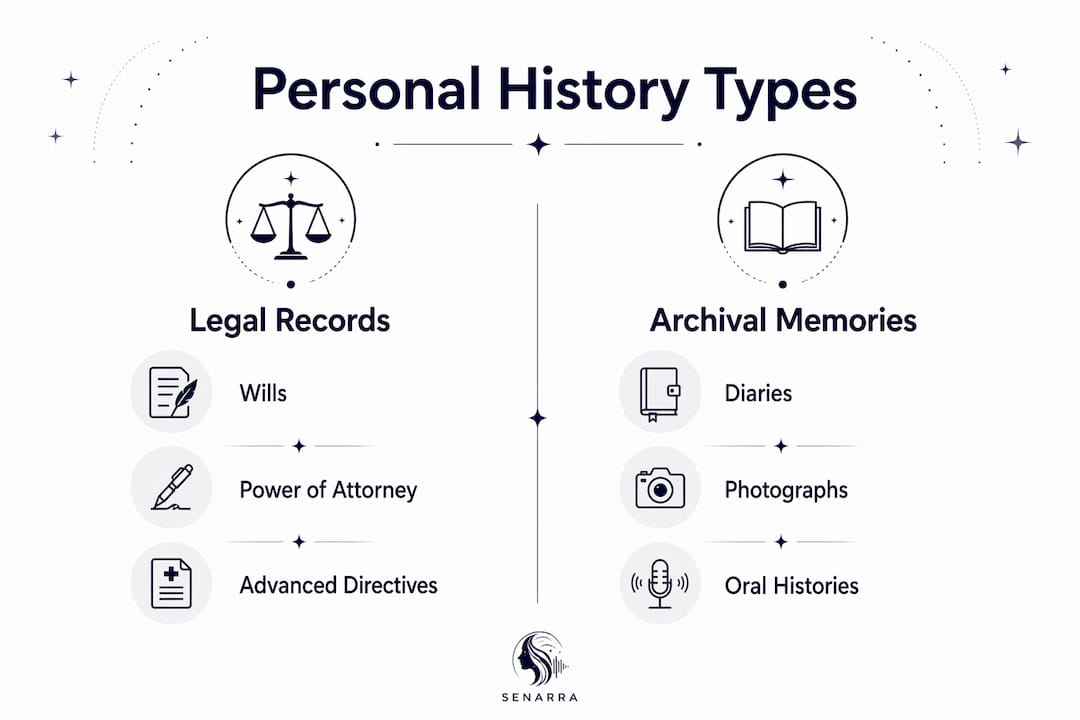
Estate personal record book. This is the practical, consolidated folder that Public Trustee templates organize into sections: Personal Information, Estate Documents (Will, Power of Attorney), Insurance, Assets and Liabilities, and Burial instructions. Its purpose is executor efficiency, not storytelling.
Archival or legacy personal history. Diaries, oral histories, photographs, audio recordings, and social-media exports all fall here. Personal archiving is a recognized branch of archival science, and its emphasis is on digital preservation and migration alongside traditional paper conservation. The value is subjective: motives, emotions, and the texture of daily life that a fact-only timeline cannot capture.
Clinical personal history (PHR). The National Cancer Institute defines a PHR as a collection of health information a person manages themselves, covering allergies, illnesses, surgeries, immunizations, medications, and screening results. It is also called a personal health record or personal medical history.
Government statement of personal history. SBA Form 912 is a good example: a structured, verifiable background form with strict formatting requirements. It shares the name but has nothing to do with family storytelling.
Who actually benefits, and when does it matter most?
The stakes are highest at three moments: when an estate needs to be settled, when a caregiver steps in, and when the last person who remembers a story is gone.
Estate efficiency. When records are discoverable, probate moves faster and family disputes shrink. Estate and personal-record workbooks include fields for "original executed copy location" and "persons familiar with my affairs" precisely because discoverability saves time and reduces conflict.
Care continuity. A one-page health summary can prevent medication errors and give a new clinician the context they need in minutes rather than hours. Caregivers working with patients experiencing cognitive decline benefit especially from having this summary in hand before a crisis. For more on that specific situation, the caregiver memory preservation guide covers practical templates.
Emotional and cultural value. Sociologists note that everyday moments captured in personal documents often carry more emotional validity for families than milestone-only records. A voice recording of someone explaining how they made their grandmother's recipe tells you something a birth certificate never will.
What should you actually include?
The table below separates must-haves from good-to-haves so you can triage your effort.
| Category | Must-Have Items | Good-to-Have Items |
|---|---|---|
| Legal | Will, power of attorney, advance directive | Trust documents, property deeds |
| Insurance and assets | Policy numbers, account locations | Beneficiary designation copies |
| Health | Medication list, major procedures, immunizations, primary clinician | Specialist contacts, vaccination records |
| Discoverability | Contact list, location of originals, credential manager notes | Revision dates, named backup contact |
| Legacy | At least one recorded oral history | Letters, labeled photos, video clips, social-media exports, recipes |
| Metadata and consent | Signed consent for recordings, basic tags (who, when, relationship) | File-level README, voice-cloning usage limits |
Public Trustee guidance explicitly instructs users to keep personal details current and to record where originals are stored. That last point matters more than most people expect.
Pro Tip: Use FamilySearch's recommendation and treat personal histories as flexible: a 10-minute recorded conversation counts just as much as a written autobiography. FamilySearch guidance lists timelines, oral histories, and full autobiographies as equally valid formats.
How do you build personal history documentation step by step?
A six-step workflow gets you from scattered papers to a usable archive.
-
Choose your repository and point person. Pick one location (a physical binder, a cloud folder, or a dedicated app) and name one person who will know how to access it. Set a short-term goal: finish the legal section within two weeks.
-
Inventory what you already have. Walk through each checklist category and note what exists and where it lives. Record locations in writing, not just in your head.
-
Conduct guided interviews. Record oral histories using open prompts: "Tell me about the house you grew up in" or "What was the hardest decision you ever made?" A step-by-step oral history guide covers interview technique and equipment in detail. For families navigating memory loss, recording during cognitive decline requires extra sensitivity and earlier action.
-
Digitize paper documents and media. Scan documents at 300 dpi minimum. For photos, 600 dpi preserves detail. Save audio as WAV or FLAC; video as MP4 with H.264 encoding. These formats balance file size and long-term readability.
-
Name files consistently. A practical schema:
YYYY-MM-DD_subject_type_creator(for example,2024-03-15_grandma-rose_interview_bryan). Include a short README file at the root folder explaining the naming rules so anyone can navigate the archive without asking you. -
Create a road map and test it. Write one page explaining where files live and how to access them. Then ask your appointed person to retrieve one specific file using only that page. If they can't, the road map needs work. American Ancestors practitioners flag this as the single biggest failure mode in family archives: no one knows how to find the files.
Where should you store records, and how do you protect them?
| Storage Type | Strengths | Weaknesses |
|---|---|---|
| Physical originals (safe deposit box, home safe) | Tamper-resistant, no account recovery issues | Fire, flood, theft risk; limited access hours |
| Cloud storage | Accessible anywhere, automated backups | Vendor lock-in, account recovery complexity |
| Hybrid (originals + two digital backups, one off-site) | Balances resilience and accessibility | Requires active maintenance |
The hybrid approach is the practical standard for U.S. families. Keep originals in a fireproof safe or safe deposit box, digitize everything, and store backups in at least two locations, one of which is off-site or cloud-based. For practical file organization, the accessible family stories guide covers folder structures and naming in detail.
Security basics: use strong, unique passwords for every account holding personal records, enable multi-factor authentication, encrypt sensitive files, and leave written emergency-access instructions with your executor or attorney. When it comes to managing sensitive personal documentation securely, the principles behind secure document workflows apply directly: clear access controls, documented permissions, and regular reviews.
What are the legal and ethical rules in the United States?
Consent is the foundation. Get written permission before recording anyone, and document what that permission covers: sharing with family, using for AI transcription, or voice cloning.
- HIPAA and health data: Clinician-held records are governed by HIPAA. A personal health record you maintain yourself is not covered by HIPAA, but any health data you share with a third-party app may be. Read the privacy policy before uploading medical information.
- Estate access: Originals of your Will and power of attorney should live with your attorney or in a safe deposit box. State rules on who can access records after death vary; discuss this with your estate attorney.
- Voice cloning: Document the person's explicit consent, their intended use cases, and any limits (for example, "family use only, not for public distribution"). Include those limits in the file metadata.
- SBA Form 912 and government forms: These are entirely separate from personal storytelling. Never confuse a government background form with a family archive.
Pro Tip: Keep signed consent forms in the same folder as the recordings they cover. A consent form stored separately from its recording is nearly as useless as no consent form at all.
How does AI help with memory preservation?
AI handles the labor-intensive parts of personal history documentation well: transcription, keyword search across large audio files, timeline extraction, and generative summaries. Voice cloning lets families replay a loved one's voice in their authentic register, not a generic text-to-speech approximation.
The limits matter just as much. AI can hallucinate details, misattribute quotes, or lose chronological context when source material is thin. Never treat an AI-generated summary as authoritative without checking it against the original recording or document.
- Keep raw files always. The AI output is a derivative; the original recording is the archive.
- Verify summaries. Spot-check AI-generated timelines against source documents before sharing them with family.
- Document provenance. Note which files were transcribed by AI, which were human-reviewed, and when.
Senarra-style features, including guided interview prompts, voice cloning, and a memory phone line, are built around these principles. Digital storytelling explains how these formats translate raw memories into something families can actually interact with over time.
Your quick-start checklist
This weekend:
- Name one point person and tell them they have the role
- Collect the top five legal documents and note where originals live
- Record an oral memory of meaningful length (a phone voice memo counts)
- Write a road map explaining where everything is stored
This month:
- Digitize key paper documents using the 300 dpi minimum standard
- Label and tag photos with details like who, when, and where
- Set up a secure off-site backup
- Obtain signed consent for any recordings or voice cloning
Self-test: Ask your appointed person to retrieve one specific file using only the road map. If they hesitate, revise the road map before moving on.
Key Takeaways
Personal history documentation covers legal records, health summaries, and multimedia memories, and its value depends entirely on whether the right person can find it when they need it.
| Point | Details |
|---|---|
| Four distinct contexts | Estate record books, archival legacy histories, clinical PHRs, and government forms each serve a different purpose. |
| Discoverability first | A tested road map of where files live matters as much as the files themselves. |
| Three immediate actions | Create one repository, digitize your legal essentials, and secure written consent for recordings. |
| Hybrid storage wins | Keep originals secure, digitize everything, and maintain at least two backups with one off-site. |
| Senarra for legacy content | Senarra's guided interviews, voice cloning, and memory phone line map directly to the legacy and oral-history steps in this guide. |
Why personal histories matter more than we admit
Most families wait too long. The legal documents get assembled eventually, usually under pressure from an estate attorney. The health summary gets created when someone lands in the ER. But the stories, the voice recordings, the explanation of why a person made the choices they did, those disappear quietly, with no deadline to force action.
What gets overlooked is how much the everyday material matters. Not the graduation photos or the formal portraits, but the letter someone wrote when they were angry, the recipe card with the handwritten note in the margin, the voicemail nobody deleted because the voice was too good to lose. Archival experts are right that the insider perspective, the motives and emotions behind events, is what objective records cannot supply.
The practical implication: start with one conversation, not a project plan. One recorded interview, even ten minutes on a phone, is worth more than a perfectly organized folder with nothing in it. Plan that interview this week.
Senarra makes the whole process easier
Most families know they should preserve memories. The gap is between knowing and actually doing it. Senarra closes that gap by giving you a guided, AI-powered place to capture voice, photos, video, and text memories in one secure app, without needing a technical setup or a project manager.
The features map directly to this guide: guided interview prompts replace blank-page anxiety, voice cloning preserves authentic sound for family replay, transcription turns audio into searchable text, and family collaboration lets multiple people contribute and access the archive. Voicemail import means recordings you already have can move straight into the archive. Secure backups handle the storage layer automatically.
Start your free 14-day trial and record your first memory today.
Useful sources
- Public Trustee Personal Record Book — editable estate-planning workbook with sections for legal documents, assets, and location of originals
- SBA Form 912 — Statement of Personal History — the U.S. government's formal background-check form, useful for understanding how administrative "personal history" differs from family archives
- NCI Definition of Personal Health Record — the clinical standard definition of a PHR
- Personal Archiving — Wikipedia — overview of archival science principles for personal and family records
- Personal Histories — FamilySearch — practical formats and prompts for oral histories, timelines, and autobiographies
- My Personal Records Inventory — Vanguard — financial-services template emphasizing secure, discoverable documentation
- Personal and Family Papers — Loyola University New Orleans LibGuides — archival guidance on interpreting and preserving personal papers