
Family history preservation methods are the practices families use to protect physical documents, digitize records, and capture oral narratives for future generations. The best approach combines all three: archival storage, digital redundancy, and recorded interviews. Organizations like the U.S. National Archives, the Library of Congress, and Oral History Victoria have each published detailed guidance on how families can build lasting archives. The emotional stakes are real. A photograph without a name, a letter without context, or a story never told becomes a permanent gap in your family's record.
1. What are the best family history preservation methods?
The strongest archives use physical, digital, and oral methods together. No single approach covers every risk. Physical materials can burn or flood. Digital files can corrupt or disappear without backups. Oral stories vanish when the people who hold them are gone. The Library of Congress confirms that preservation captures provenance, meaning the context and narrative behind each artifact, not just the object itself. That context is what makes a document meaningful to the next generation.
2. How to store physical family documents and photos
Physical preservation starts with controlling your storage environment. The U.S. National Archives recommends keeping temperatures below 75°F and relative humidity between 15% and 65%. Those conditions slow chemical decay and reduce the risk of mold and insect damage. Basements and attics are the worst storage locations because both experience wide temperature and humidity swings.
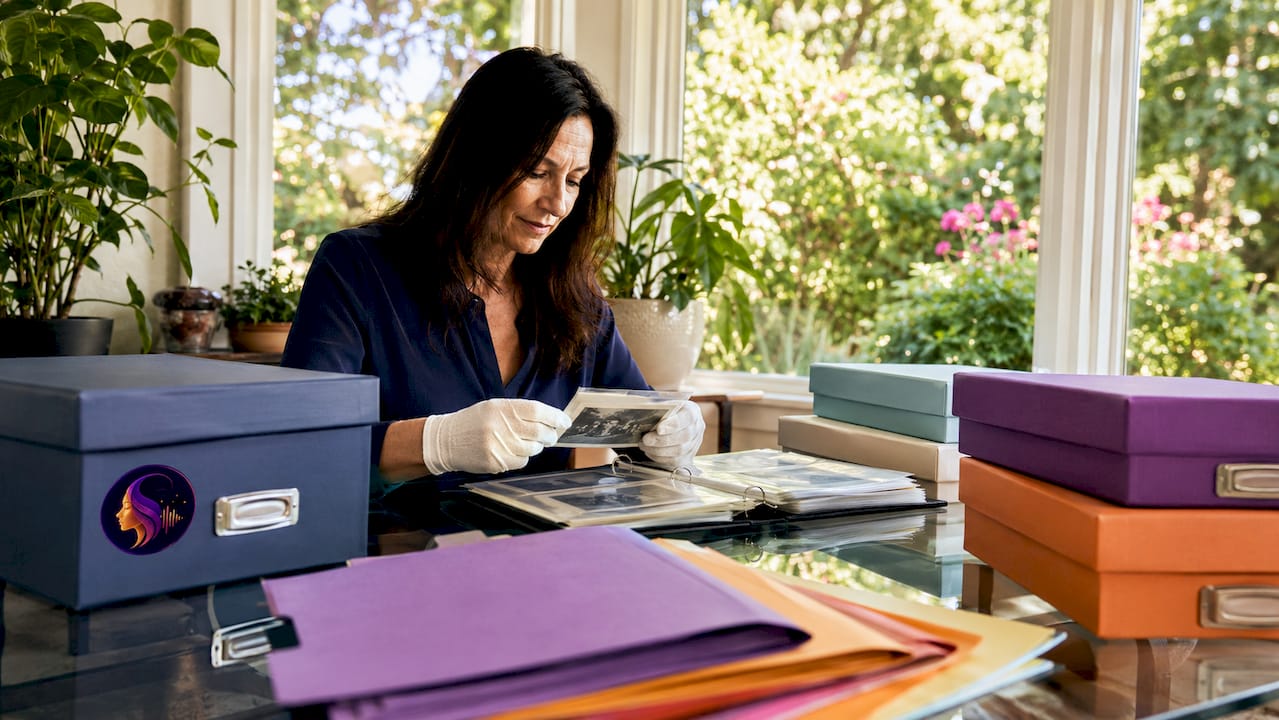
The materials you use matter as much as the location. The National Archives specifies acid-free, lignin-free folders and boxes for documents, and polyester L-sleeves for fragile photographs. Avoid overstuffing boxes, which causes physical stress on paper fibers. Never use rubber bands, paper clips, or regular tape directly on original documents.
Pro Tip: Label every folder and sleeve with the full name of the person or event, the approximate date, and where the item came from. This provenance note takes 30 seconds to write and prevents decades of confusion later.
Key materials for physical archiving:
- Acid-free, lignin-free document boxes and folders
- Polyester L-sleeves for photographs and fragile papers
- Flat, stable storage away from exterior walls
- Cotton gloves for handling original photographs
- Pencil labels only (ink can transfer and damage paper)
3. What are the key digital archiving strategies for family records?
Digital preservation protects your family archive against fire, flood, and physical decay. The foundational rule is the 3-2-1 backup strategy: keep three copies of every file, stored on two different types of media, with one copy held offsite. That structure protects against hardware failure, ransomware, and localized disasters simultaneously. A single external hard drive is not a backup. It is a single point of failure.
File format selection determines how long your digital records remain readable. The University of Washington Libraries recommends PDF/A-1 for documents and TIFF for images because both formats are institutionally recognized for long-term preservation. JPEG files degrade slightly each time they are saved. TIFF files do not. For audio recordings, uncompressed WAV files offer the same durability advantage over compressed MP3s.
Pro Tip: Name every file with a consistent structure: LastName_FirstName_Year_Description. For example, "Morrison_Clara_1952_WeddingPortrait.tif". This naming convention makes files searchable and prevents the silent index loss that buries important records in disorganized folders.
A practical digital archiving workflow:
- Scan documents at 400 DPI minimum and photographs at 600 DPI
- Save files in PDF/A or TIFF format immediately after scanning
- Apply consistent file naming before saving anything
- Copy files to an external hard drive and a second cloud service
- Store one copy offsite, either with a relative or in a cloud account only you control
- Schedule a yearly review to verify files are still accessible and uncorrupted
4. How can oral histories be preserved effectively?
Oral history is the most irreplaceable form of family documentation. A photograph shows a face. A recorded voice carries tone, humor, hesitation, and emotion that no transcript can fully replicate. Oral History Victoria states that the original audio recording is the primary archival record, with a verbatim transcript serving as a complementary access tool. The transcript helps with searching and sharing, but it never replaces the recording.
Recording quality determines the long-term value of an interview. Use a dedicated audio recorder or a smartphone with an external microphone rather than relying on built-in phone audio. Conduct interviews in a quiet room, seat the speaker away from air vents and windows, and test your levels before starting. A 45-minute interview recorded poorly is far harder to work with than a 20-minute interview recorded clearly.
Labeling is where most family oral history projects fail. Oral History Victoria recommends clear metadata on every file, including the interviewee's full name, the date of the interview, the location, and the project name. Without that metadata, a file named "Grandma_interview.mp3" becomes unidentifiable within a decade. After recording, share the transcript with the interviewee for review before finalizing the archive.
Best practices for oral history interviews:
- Prepare 10–15 open-ended questions in advance, but allow the conversation to move naturally
- Record in an uncompressed audio format (WAV preferred)
- Label files immediately after recording with full metadata
- Create a verbatim transcript within two weeks while memory is fresh
- Share the transcript with the interviewee for corrections and approval
- Store the audio file and transcript together in the same folder
5. Physical vs. digital vs. oral: which method works best?
Each preservation method has distinct strengths and real limitations. The table below compares the three approaches directly.
| Method | Strengths | Challenges | Best use case |
|---|---|---|---|
| Physical | Tangible, no technology required | Vulnerable to fire, flood, decay | Original documents, heirlooms, photographs |
| Digital | Easily copied, searchable, shareable | Requires ongoing maintenance and backups | Scanned records, audio files, video footage |
| Oral history | Captures voice, emotion, and narrative | Requires active recording before stories are lost | Living relatives, personal accounts, family lore |
The National Archives and the Library of Congress both recommend integration rather than choosing one method. Physical originals carry legal and sentimental weight. Digital copies provide redundancy and accessibility. Oral recordings preserve the meaning behind the objects. A family that uses all three builds an archive that is both durable and deeply human.
6. Practical starting points for families new to preservation
Most families start with a box of unsorted photographs and no clear system. The right first step is a simple inventory. Spend one afternoon pulling together every document, photograph, and recording you can find, then sort by decade. That single action reveals what you have, what is fragile, and what needs immediate attention.
Budget does not have to be a barrier. Acid-free folders cost a few dollars per pack. Free cloud storage from services like Google Drive or iCloud covers basic digital backup for most family archives. A smartphone with a quiet room is sufficient for recording a first oral history interview. The Library of Congress notes that sharing copies with relatives also sparks conversations that surface stories you did not know existed.
Practical starting recommendations:
- Prioritize any item that exists in only one copy, since those carry the highest loss risk
- Photograph fragile documents with your phone before handling them further
- Ask the oldest living relatives for interviews first, since their accounts are most at risk
- Involve younger family members in scanning and labeling to build shared ownership
- Set a recurring calendar reminder every six months to check backup integrity
Pro Tip: Treat your family archive like a living project, not a one-time task. Adding one new interview or scanning one new batch of photos every few months builds a rich record without requiring a single overwhelming session.
For families interested in digital memory keepsakes, combining scanned documents with recorded stories creates a far richer archive than either approach alone.
Key takeaways
The most durable family archives combine physical archival storage, the 3-2-1 digital backup rule, and recorded oral histories to protect both artifacts and the stories behind them.
| Point | Details |
|---|---|
| Control physical storage conditions | Keep temperatures below 75°F and humidity between 15% and 65% to slow decay. |
| Use archival-quality materials | Acid-free folders and polyester sleeves prevent chemical and handling damage. |
| Apply the 3-2-1 backup rule | Store three copies on two media types with one copy offsite to prevent total data loss. |
| Record oral histories now | Original audio captures voice and emotion that transcripts alone cannot preserve. |
| Label everything with metadata | Consistent naming and provenance notes prevent records from becoming unidentifiable. |
What I have learned from years of watching families lose their stories
The families I have seen struggle most with preservation are not the ones who lacked materials or money. They are the ones who waited. A grandmother passes away, and suddenly no one knows who is in the 1940s photograph on the mantle. A house fire takes the only copy of a handwritten letter. A hard drive fails and three years of scanned documents disappear because there was no second copy.
The part that surprises people is how little effort the basics actually require. Buying acid-free folders and spending one afternoon sorting photographs is not a major project. Recording a 30-minute conversation with an elderly relative takes less time than most people spend on social media in a day. The barrier is almost never resources. It is the false belief that there is more time.
What I find genuinely undervalued in most preservation guides is the role of family stories in identity. Knowing where your family came from, what they survived, and what they valued shapes how you understand yourself. That is not a sentimental point. It is a practical one. Archives that include recorded voices and written context produce descendants who actually engage with the material. Archives that are just boxes of unlabeled photographs get donated to thrift stores.
My honest recommendation: start with the people, not the papers. Record one interview this month. Then organize the physical materials. Then build your digital backup system. That order keeps the most irreplaceable things safe first.
— Bryan
Senarra and the stories worth keeping
Preserving a family archive takes more than good intentions. It takes a system that makes recording, organizing, and sharing stories genuinely easy.
Senarra is a memory preservation app built specifically for capturing the voices and stories of the people you love, during their lifetime and beyond. It supports voice recording, voice cloning, and a memory line you can call to hear a loved one's voice again. For families working through the oral history steps covered here, Senarra provides a structured way to record and preserve family voices without needing technical expertise. Whether you are documenting an elderly relative's memories or building a legacy archive for your own children, Senarra makes the process personal and lasting.
FAQ
What is the most important family history preservation method?
Oral history recording is the most time-sensitive method because living relatives cannot be replaced. Combine it with physical archival storage and digital backups for a complete archive.
What file formats are best for digital family history storage?
The University of Washington Libraries recommends PDF/A-1 for documents and TIFF for images. Both formats are designed for long-term preservation and do not degrade with repeated access.
How does the 3-2-1 backup rule apply to family records?
The 3-2-1 rule means keeping three copies of every file, on two different storage types, with one copy stored offsite. This structure protects against hardware failure, ransomware, and local disasters.
How should oral history recordings be labeled?
Oral History Victoria recommends labeling every audio file with the interviewee's full name, the interview date, the location, and the project name. This metadata prevents files from becoming unidentifiable over time.
Where should physical family documents be stored?
The U.S. National Archives recommends storing physical documents in a stable environment below 75°F with relative humidity between 15% and 65%. Avoid basements, attics, and exterior walls where conditions fluctuate.