
Storing family stories in an accessible format means building a system that captures voice, text, and images, then organizes them so anyone in your family can find and enjoy them now and decades from now. The industry term for this practice is family memory preservation, and it covers everything from audio recordings and written transcripts to printed memory books and digital archives. The most effective approach combines all three. Families who follow a structured preservation workflow avoid the fragmentation that buries stories in forgotten folders and unsorted shoeboxes. This guide gives you the tools, the workflow, and the format choices to get it right.
What tools do you need to store family stories effectively?
The right tools make the difference between a finished archive and a half-started project. Every family preservation effort needs three categories of equipment: capture tools, storage materials, and organization systems.
Capture tools fall into two groups. For audio, a smartphone with a voice memo app works well for casual sessions. Dedicated digital recorders, such as those from Zoom or Sony, produce cleaner audio in noisy environments. For text, a simple word processor or a notes app captures transcripts immediately after a session.

Physical storage materials matter more than most families realize. The Library of Congress recommends acid-free boxes and polyester or polypropylene sleeves for physical documents and photographs. These materials prevent the chemical breakdown that yellows paper and fades images within a single generation. Proper storage extends the life of physical artifacts across multiple generations.
Digital organization tools complete the system. Apps that combine voice recording with AI transcription reduce the time between capturing a story and making it searchable. Metadata tagging, adding labels for who, when, where, and what, is the single most important habit for long-term accessibility. A recording without metadata becomes an unlabeled file within five years.
| Tool category | Examples | Primary purpose |
|---|---|---|
| Audio capture | Smartphone voice memo, digital recorder | Record spoken stories |
| Text capture | Word processor, notes app, transcription app | Create searchable text |
| Physical storage | Acid-free boxes, polyester sleeves | Protect documents and photos |
| Digital organization | Cloud storage, metadata tagging | Ensure long-term findability |
| Publishing | Memory book platforms, QR code generators | Share finished stories |
Pro Tip: Label every audio file immediately after recording with the storyteller's name, date, and one-sentence topic summary. Skipping this step is the single most common reason families lose track of recordings within months.
How do you execute a step-by-step workflow to capture and organize family stories?
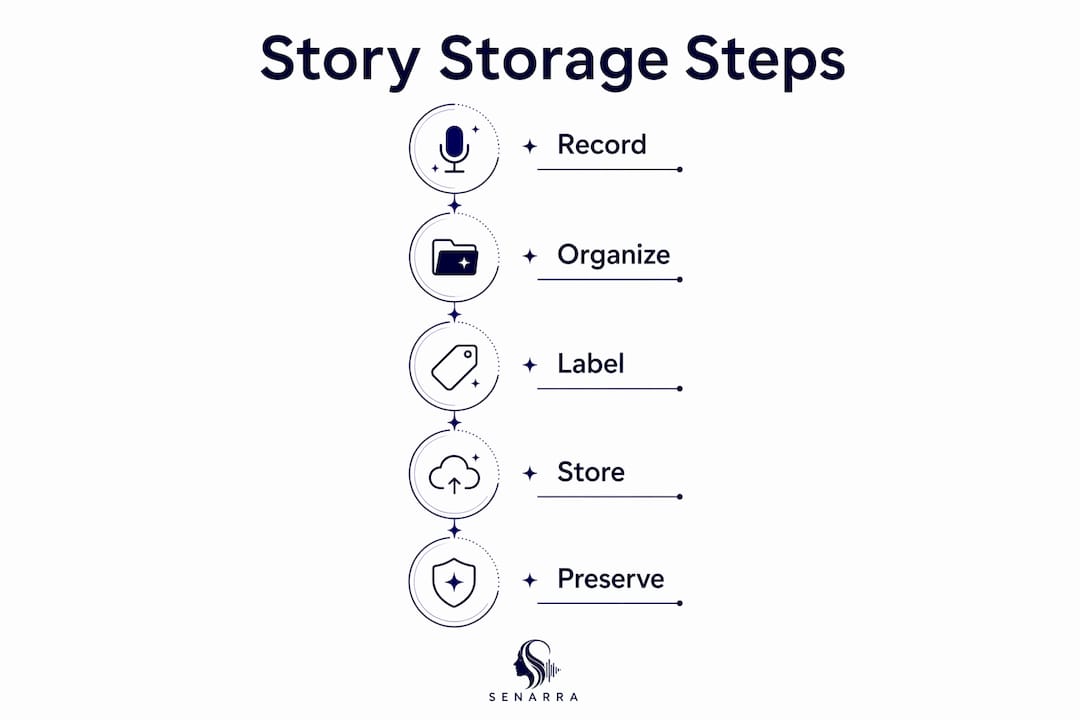
A five-phase workflow prevents fragmentation and keeps projects moving toward a finished product. Each phase builds on the last, so skipping one creates gaps that are hard to fill later.
-
Story collection. Start with guided prompts, not open-ended questions. "Tell me about the house you grew up in" produces a richer answer than "Tell me about your childhood." Prompts give the storyteller a specific memory to anchor their response.
-
Media capture. Record the conversation as audio, then photograph any physical items the storyteller references. A letter, a photograph, or a piece of jewelry adds visual context that words alone cannot carry.
-
Context enrichment. Add metadata to every file immediately. Note the storyteller's name, the date of the recording, the location being discussed, and the names of any people mentioned. This step transforms a raw recording into a searchable archive entry.
-
Curation into chapters. Group related stories by theme or time period. A chapter on "early family life" might include three audio recordings, two photographs, and one scanned document. Clear chapter structure makes the final product readable and navigable.
-
Publishing to durable formats. Choose at least one digital format and one physical format. A printed memory book paired with a digital archive covers families with different technology comfort levels.
Pro Tip: Schedule one 30-minute capture session per week rather than planning a single marathon recording day. Consistent short sessions produce more material and cause less emotional fatigue for both the storyteller and the listener.
One technique that works particularly well is linking voice recordings to written chapters via QR codes printed inside a physical memory book. A reader scans the code and hears the storyteller's voice reading the passage in their own words. This method preserves tone, accent, and emotion that text alone cannot convey.
Scheduling matters as much as technique. Families who set a fixed publishing milestone, such as a grandparent's birthday or a family reunion, complete their projects at a far higher rate than those working without a deadline. Pick a date and work backward from it.
What are the best formats for publishing and storing family memories long-term?
Digital archives and printed memory books each have real strengths, and the best preservation strategy uses both. Digital archives excel at collection, search, and collaboration across distances. Printed books provide durability and accessibility for family members who do not use smartphones or computers regularly.
| Format | Durability | Accessibility | Engagement | Best for |
|---|---|---|---|---|
| Digital archive | High with backups | Requires device | Easy to share widely | Tech-comfortable families |
| Printed memory book | Decades with proper storage | No device needed | Tangible, giftable | Mixed-age families |
| Hybrid (QR-linked book) | High for both | Broad | Highest engagement | All family types |
The hybrid format consistently outperforms either option alone. A printed book with embedded QR codes gives older relatives something they can hold and read, while younger family members access the audio layer on their phones. This approach addresses the common imbalance of having many photographs but very few accessible voice recordings.
Choosing a publication milestone focuses the project. Birthdays, anniversaries, and family reunions all work well. The goal is a fixed date that creates accountability and gives the finished product a natural occasion for sharing.
- For families with older members who avoid screens, prioritize a printed book as the primary output and treat the digital archive as a backup.
- For geographically scattered families, a shared cloud folder with consistent metadata makes collaboration possible across time zones.
- For families with young children, a printed book with photographs and short captions works better than a long audio archive as a first introduction to family history.
Pro Tip: Order two copies of any printed memory book. Give one to the primary storyteller and keep one in a separate location. Printed books are irreplaceable once the storyteller is gone.
How do you overcome common challenges when preserving family stories?
The most common failure in family history projects is collecting everything without a clear final output. Families accumulate recordings, photos, and documents across multiple platforms, then lose momentum because the archive never becomes something shareable. The fix is simple: decide on your final output before you collect a single story.
Starting small is the most reliable path to completion. Recording one 10-minute answer to a single specific prompt builds momentum far better than attempting a full biography in one sitting. One conversation anchors visual memories and makes the next session easier to start.
Preserving family memory works best as a practice that starts now, not as an overwhelming project planned for later. A single recorded conversation does more to anchor photographs and written notes than any amount of organizing without audio.
Difficult stories deserve space in the archive. Documenting losses, migrations, and hardships enriches the family narrative and honors the real experiences of ancestors. A family history that contains only celebrations feels incomplete and, over time, less credible to the people who inherit it.
Technology pitfalls are predictable and avoidable. The three most common are fragmented files across multiple platforms, platform changes that make old files inaccessible, and missing metadata that makes recordings unsearchable. The solution is a single designated folder structure, consistent file naming, and at least two backup locations. One backup should be physical, such as an external hard drive, and one should be cloud-based.
Families who build oral history archives with a clear chapter structure and consistent metadata finish their projects. Those who collect without structure rarely do.
Key Takeaways
The most effective way to preserve family stories is a hybrid system that combines voice recordings, written chapters, and both digital and printed outputs, organized with consistent metadata from the start.
| Point | Details |
|---|---|
| Start with guided prompts | Specific questions produce richer, more usable stories than open-ended ones. |
| Tag every file immediately | Metadata with who, when, and where makes recordings searchable for decades. |
| Use acid-free materials | Library of Congress standards extend the life of physical documents across generations. |
| Choose a hybrid format | QR-linked printed books serve both tech-comfortable and less digital family members. |
| Set a publishing milestone | A fixed deadline, such as a birthday or reunion, dramatically increases project completion. |
Why simplicity is the real secret to lasting family archives
Most families approach preservation as a grand project and never finish it. The families I have seen succeed treat it as a repeatable practice, not a one-time event. They record one story, tag it properly, and move on. Over a year, that habit produces a complete archive. Over a decade, it produces something irreplaceable.
Voice is the most undervalued element in family story archiving. Photographs show faces. Text records facts. But a voice carries accent, humor, hesitation, and warmth in ways that no other medium replicates. When you link audio to written stories, you give future generations something genuinely alive to connect with.
The printed versus digital debate misses the point. Both formats serve different family members, and both will be needed. A grandchild in 2050 may not use the same cloud platform you use today, but a printed book will still open. Build for both audiences simultaneously, and you will not have to rebuild later.
The families who struggle most are those waiting for the "right time" to start. There is no right time. There is only the conversation you record this week and the one you skip. Start with one prompt, one recording, and one properly labeled file. That is the entire system in its simplest form.
— Bryan
How Senarra makes family story preservation practical
Senarra is built for exactly the kind of preservation workflow described here. The app captures voice recordings in the storyteller's authentic voice, generates transcripts, and organizes stories with metadata so nothing gets lost. Senarra's voice cloning feature preserves the tone and character of a loved one's voice, making it possible to revisit recorded memories long after a conversation ends. For families who want a system that handles capture, organization, and sharing without requiring technical expertise, Senarra removes the friction that causes most preservation projects to stall. Whether you are documenting a grandparent's stories or building a record of your own life for future generations, Senarra gives you a place to start today.
FAQ
What does "accessible format" mean for family stories?
An accessible format is one that any family member can find, open, and engage with regardless of their age or technical ability. The best accessible formats combine printed memory books with digital archives linked by QR codes.
How do I start preserving family memories without feeling overwhelmed?
Start with one specific prompt and record one 10-minute answer. This single step builds momentum and produces a usable archive entry without requiring a large time commitment.
What physical materials are best for storing family documents?
The Library of Congress recommends acid-free boxes and polyester or polypropylene sleeves. These materials prevent chemical degradation and extend the life of photographs and documents across multiple generations.
How do I keep digital family archives organized long-term?
Use a consistent folder structure, name every file with the storyteller's name and date, and add metadata tags for location and people mentioned. Store backups in two locations: one cloud-based and one physical.
Why should I record voice alongside written family stories?
Voice preserves accent, emotion, and personality that text cannot capture. Linking audio recordings to written chapters via QR codes gives future generations a richer, more complete connection to their family history.