
A family memory ecosystem is the connected set of apps, devices, and storage that lets your family capture, organize, share, and replay memories — including voice recordings, videos, photos, transcripts, and AI-powered features like voice cloning and memory-based chat. The practical payoff: memories become findable, shareable, and usable for legacy planning, grief support, and everyday caregiving instead of sitting scattered across phones and shoeboxes. Senarra, for example, combines all of these layers in one app, with encryption, guided interviews, and a voice model built from real recordings.
Key Takeaways
A family memory ecosystem combines capture, storage, AI features, and export into one connected system — and voice recordings are the highest-value content to start with.
| Point | Details |
|---|---|
| Core definition | A memory ecosystem links capture, storage, sharing, replay, and AI features in one place. |
| Must-check features | Verify encryption, data ownership, export rights, and named legacy contacts before committing. |
| Start with voice | A guided voice interview captures more than photos alone; begin there for the highest impact. |
| Portability matters | Export audio as WAV or FLAC, video as MP4, and documents as PDF/A to keep files usable for decades. |
| Senarra trial | Senarra's 14-day free trial lets you test voice capture, family sharing, and export before subscribing. |
Table of Contents
- What belongs in a family memory ecosystem?
- How families actually use a memory ecosystem
- Privacy, security, and posthumous access: what to check first
- How to choose the right platform for your family
- 6 steps to start your family memory ecosystem this weekend
- Keeping memories usable for decades
- How Senarra maps to this ecosystem
- What most families get wrong about memory preservation
- Senarra: start your free trial today
- Sources and further reading
What belongs in a family memory ecosystem?
A memory preservation platform has six practical layers. Understanding each one helps you evaluate any app you consider.
Capture formats are the entry point. Audio voice notes, video clips, scanned photos, typed stories, and uploaded documents all count. A grandmother recording a birthday message, a son scanning his father's military discharge papers, a caregiver logging a daily check-in — these are all capture events.
Storage and the vault hold everything in one place. The vault should be searchable by name, date, or tag, not just a flat folder of files.
Access channels determine who can reach memories and how. A good platform works via mobile app, web browser, and ideally a phone line so older relatives who don't use smartphones can still participate.
AI features are what separate a modern ecosystem from a simple cloud drive. The most useful ones: automatic transcription, guided interview prompts that ask story questions, voice cloning for authentic playback, and memory-based chat that draws answers from real recorded content.
Metadata and search make memories usable years later. Date stamps, people tags, and location fields let a grandchild search "Grandpa + 1975" and actually find something.
Export and portability protect your investment. If the platform shuts down or you switch providers, you need your files back in standard formats.
| Layer | What to look for | Red flag |
|---|---|---|
| Capture | Audio, video, photo, text, documents | Only one format supported |
| Storage | Encrypted vault, searchable | No search or tagging |
| Access | App + web + phone line | App-only with no web access |
| AI features | Transcription, voice model, memory chat | AI trained on your data without opt-out |
| Export | Standard formats (MP4, WAV, PDF) | No export option at all |
How families actually use a memory ecosystem
The use cases cluster into five areas, and most families end up touching more than one.
Legacy storytelling is the most common starting point. A parent records answers to guided questions — first job, how they met their spouse, what they want grandchildren to know. Within a few sessions, there's a real archive.
Grief and memorialization often motivates families after a loss. A voice model built from existing recordings lets a grieving child hear a parent's voice again. Digital memorial planning can include scheduled deliveries of messages on birthdays or anniversaries.
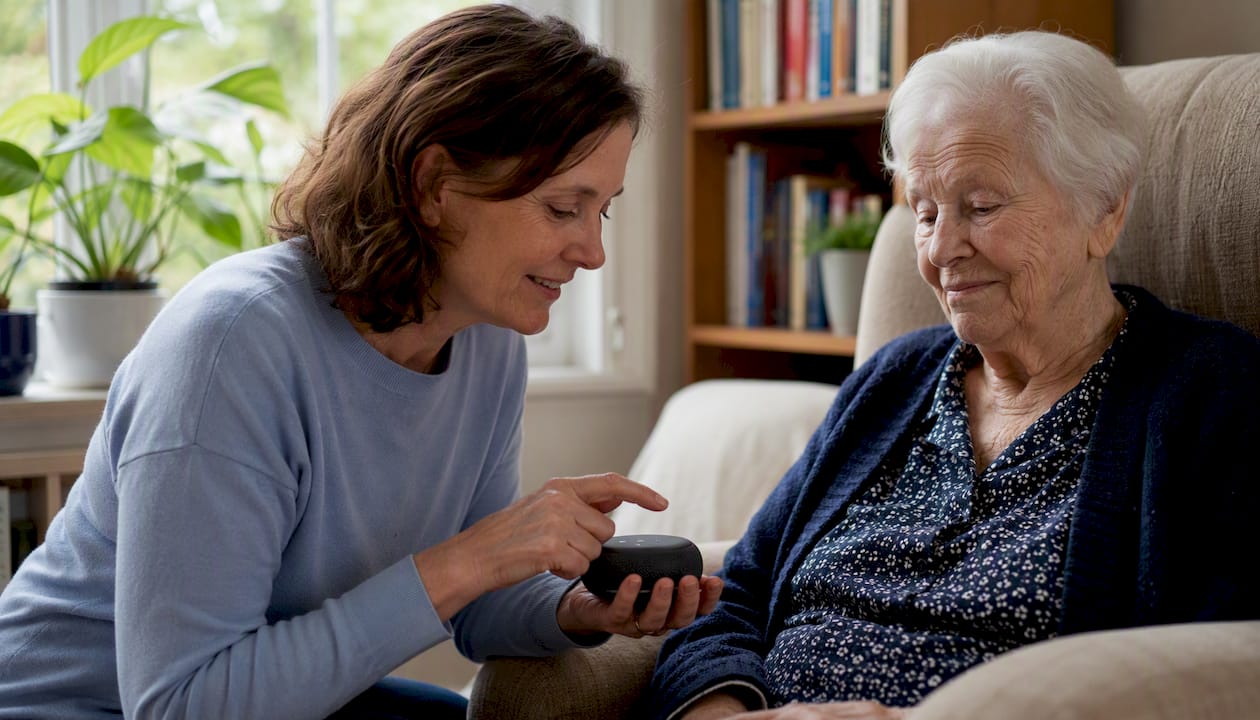
Dementia and caregiving support is a less-discussed but high-value use. Familiar voices and stories can orient a person with memory loss. Caregivers who preserve patient memories early create a resource that remains useful as cognition changes — a caregiver's guide to memory preservation covers this in detail.
Estate and advance-care records belong here too. Combining a will, healthcare proxy, and advance directive with the personal memories that give them context helps executors act faster and with less family friction.
Time capsules round out the list. A message recorded today, set to deliver on a child's 18th birthday, costs about ten minutes of effort now and lands with enormous weight later.
Most families build a genuinely useful vault within four to eight weeks of consistent use.
Privacy, security, and posthumous access: what to check first
Before you record anything, verify these five things on any platform you consider.
- Encryption at rest and in transit. Your voice recordings and personal stories deserve the same protection as financial data.
- Granular access controls. You should be able to share one memory with one person without exposing the whole vault.
- Named legacy contacts. Designate who gets access after you die or become incapacitated, and confirm the platform honors that designation.
- Data ownership and export rights. The platform should state plainly that you own your content and can export it at any time.
- Voice model consent. If voice cloning is offered, the platform must require explicit consent from the person being cloned — not just the account holder.
Consent in practice means telling family members before you record them, explaining how the recording will be used, and documenting that agreement. For posthumous delivery, U.S. law is still catching up to digital assets; the Revised Uniform Fiduciary Access to Digital Assets Act (RUFADAA) has been adopted in most states, but platform-level settings often matter more than state law in practice. Name your legacy contacts inside the app and keep a separate written record with your estate documents.
Voice cloning is one of the most powerful features in a memory ecosystem — and one of the most easily misused. A voice model built from a loved one's recordings should only be created with that person's explicit, informed consent while they are alive and able to give it. Using recordings made without consent, or creating a voice model after death without prior permission, crosses a clear ethical line regardless of what the platform technically allows.
Pro Tip: The single fastest way to get reluctant family members to participate is a guided interview. Instead of asking someone to "record their life story," send them three specific questions and let the app prompt the rest. Participation rates climb sharply when there's a clear starting point.
How to choose the right platform for your family
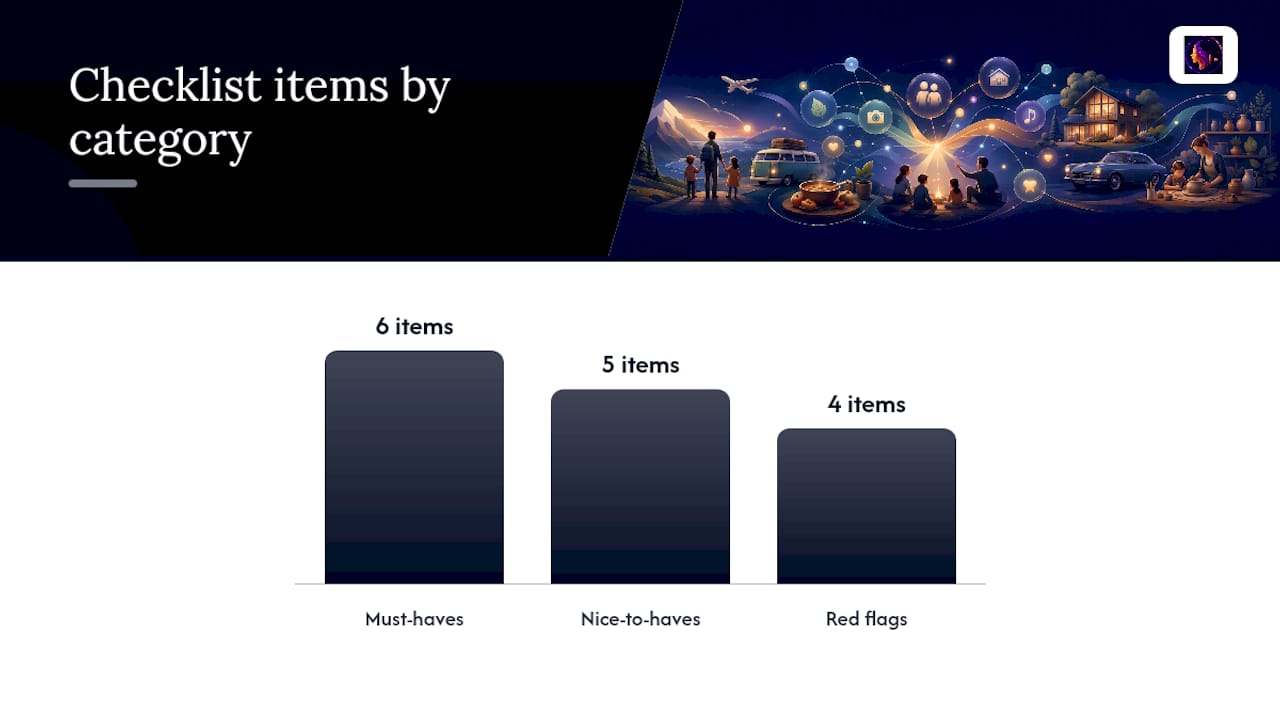
Run every platform you consider through this checklist before committing.
Must-haves:
- Easy capture on a phone (voice, video, photo) with no technical setup
- Automatic transcription so recordings become searchable text
- Granular sharing controls (individual memories, not just all-or-nothing)
- Export in standard formats (MP4, WAV, PDF, SRT)
- Clear data ownership statement and no training-data opt-in by default
- Named legacy contacts with documented posthumous access rules
Nice-to-haves:
- AI interview assistant with guided prompts
- Voice cloning with consent controls
- Memory-based chat that draws from real content
- Phone-line access for relatives who don't use smartphones
- Animated or video memory formats
Red flags:
- No export option or vague "we'll work something out" language
- Terms of service that allow your content to train AI models without opt-out
- No encryption disclosure
- No way to name a legacy contact or executor
Pricing typically follows a free trial period (Senarra offers 14 days) followed by a tiered subscription purchased through in-app purchase. Practical selection criteria for families are covered in depth in Senarra's digital legacy tools guide. Before you decide, ask yourself: what two features matter most for your family right now? Start there and let the rest follow.
6 steps to start your family memory ecosystem this weekend
- Gather what you already have (30–60 minutes). Collect existing photos, voicemails, videos, and documents in one folder. Old voicemails are especially valuable — import them first if your platform supports it.
- Choose your first priority (15 minutes). Pick one person or one story to capture. A grandparent's childhood, a parent's career, a pet's personality. Narrow focus produces better results than trying to capture everything at once.
- Invite one or two contributors (10 minutes). A sibling, a spouse, an adult child. Starting with a small group reduces coordination friction and builds momentum.
- Record a guided interview (45–90 minutes). Use the platform's built-in prompts or prepare five to seven questions in advance. Voice-first is faster than typing and captures tone and emotion that text cannot.
- Add one essential document (15 minutes). Scan a will, an advance directive, or a family photo with a phone camera. Combining personal memories with legal documents in one vault is one of the highest-value actions you can take early.
- Schedule one future delivery (5 minutes). Set a birthday message or anniversary note to deliver automatically. It takes almost no time now and creates a lasting impression later.
Pro Tip: When scanning documents with a phone, use your camera's document mode or an app like Apple Notes' built-in scanner. It flattens the image, corrects perspective, and produces a clean PDF in seconds — no flatbed scanner needed.
Keeping memories usable for decades
Export formats matter more than most families realize. The wrong format today means unplayable files in fifteen years.
| Content type | Recommended format | Why it matters |
|---|---|---|
| Photos | TIFF or high-res JPEG | Lossless or near-lossless; widely supported |
| Video | MP4 | Universal playback across devices and decades |
| Audio / voice | WAV or FLAC | Uncompressed; preserves voice quality for cloning |
| Documents | PDF/A | Archival standard; renders consistently |
| Transcripts / captions | SRT or plain TXT | Human-readable; importable into future platforms |
Beyond format, build a simple backup routine. Keep one local copy (an external hard drive), one cloud copy outside your primary platform, and run an annual check to confirm files still open and metadata is intact. Accessible storage practices and a full maintenance schedule are covered in Senarra's format guide.
For digital inheritance, document your platform login in a password manager and share recovery access with your named legacy contact. If you ever migrate to a new platform, export everything first, verify the files open, then import. Never delete from the old platform until the new one is confirmed complete.
A long-term legacy planning checklist that combines estate documents with memory preservation tasks is available from Senarra and covers named legacy contacts, export schedules, and executor guidance in one place.
How Senarra maps to this ecosystem
Senarra covers every layer of the ecosystem described above. Here's the direct mapping:
- Capture: voice recordings, audio, video, photos, text, voicemail import, and guided interview prompts
- AI features: voice cloning for authentic playback, automatic transcription, and memory-based chat grounded in real recorded content
- Access: mobile app and phone line, so relatives without smartphones can still call in and listen
- Sharing and family rooms: invite family members to shared spaces with granular controls over what each person can see
- Export: standard file formats with data ownership belonging to the user
- Security: encryption and access controls with named legacy contacts
During a 14-day free trial, focus on four things: record one guided interview, listen to a voice playback, invite one family member to a shared room, and export one file to confirm portability. Those four actions will tell you whether the platform fits your family's needs before you commit to a subscription.
What most families get wrong about memory preservation
The conventional wisdom says start with photos. Photos are easy to gather, easy to share, and feel like progress. But a photo without a voice explaining it loses half its meaning within a generation. The people who knew the story behind the image are gone, and what remains is a face without a name.
The families who build the most useful memory ecosystems start with voice. A ten-minute recorded conversation with a grandparent, prompted by five specific questions, carries more information than a hundred scanned photos. It captures accent, humor, hesitation, and the specific way a person phrases things — none of which a photo can hold.
The second mistake is waiting for the right moment. The right moment is always now, because the alternative is never. A guided interview takes less than an hour. The regret of not doing it lasts much longer.
Senarra: start your free trial today
Families who want to preserve voices, stories, and memories without building a complicated system from scratch will find Senarra worth the 14-day trial. The app handles capture, transcription, voice cloning, family sharing, and export in one place — no separate tools to stitch together.
Start with three actions during your trial: record one voice memory using the guided interview, invite one family member to a shared room, and export one file to confirm you own your data. Those three steps take under two hours and give you a clear picture of what the full ecosystem looks like for your family. Senarra's subscription is activated through in-app purchase after the trial, with tiered plans to match different family sizes and needs. Your recordings are encrypted, your data is yours, and your legacy contacts are set from day one.
Start your free Senarra trial and capture the first memory this weekend.
Sources and further reading
- What Does Digital Legacy Mean? A 2026 Guide: Explains how memories, care wishes, and documents combine into a digital legacy vault.
- Digital Legacy Tools for Families: A 2026 Guide: Practical selection criteria for families choosing a memory platform.
- What Is a Memory Preservation Platform?: Defines core platform features — capture, transcription, search, and sharing.
- How to Store Family Stories in an Accessible Format: Covers export formats, metadata practices, and an annual maintenance schedule.