
A memory preservation features checklist is a curated set of criteria that confirms cherished memories and voices are safely captured, organized, backed up, and shared for lasting emotional connection and family legacy. Most families underestimate how many decisions go into preserving a single recording or photo album until something is lost. The right checklist removes guesswork and replaces it with a repeatable system. Platforms like Senarra show that the most meaningful preservation work combines technical rigor with emotional intentionality, capturing not just images but authentic voices and stories. This guide walks you through every feature category worth evaluating before you commit to any approach.
1. What belongs on a memory preservation features checklist?
A complete checklist for memory preservation covers five core categories: capture quality, file organization, backup strategy, sharing tools, and engagement habits. Skipping any one of these creates a gap that compounds over time. A family that digitizes 500 photos but never backs them up has done half the work. A family that backs up files but never labels them will struggle to find anything meaningful a decade later.
The checklist framework used by archivists and digital preservation specialists treats each category as a dependency. Capture quality feeds organization. Organization feeds backup integrity. Backup integrity feeds sharing. Sharing feeds engagement. Each layer protects the one before it.
2. Technical capture: resolution, format, and audio standards
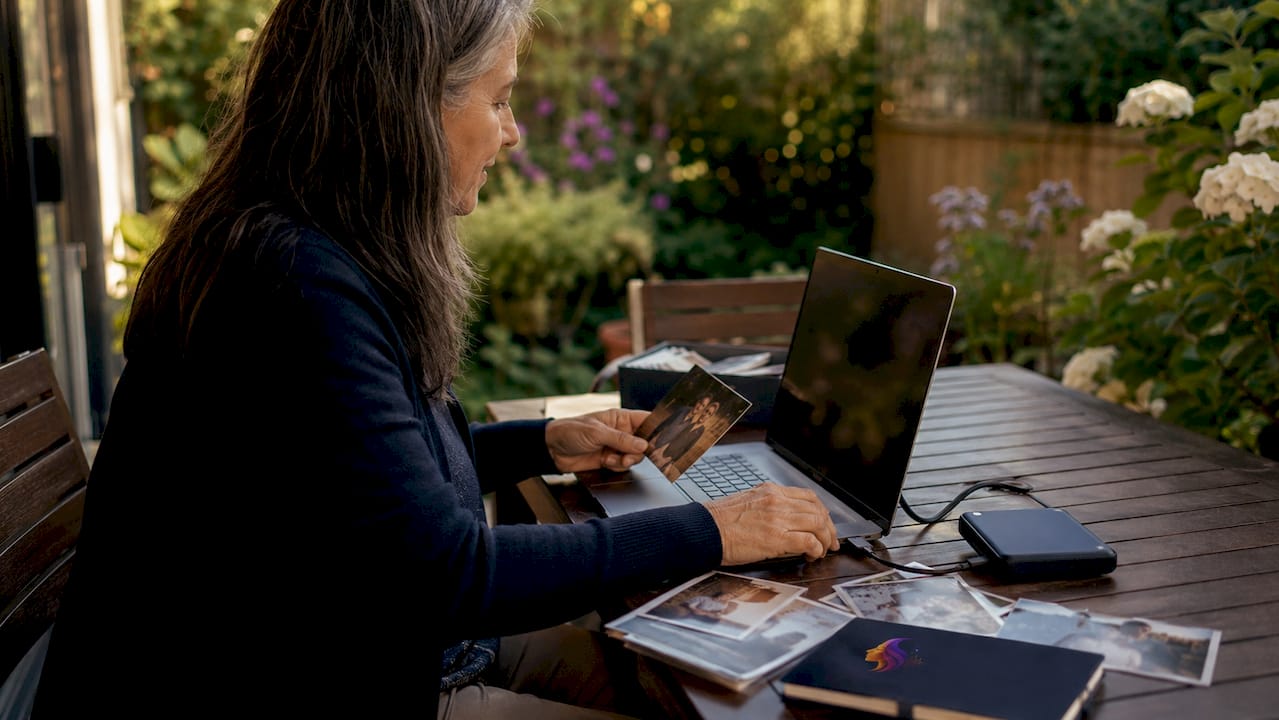
High-quality digitization is the foundation of any preservation effort. Archival standards require 600 DPI at minimum for standard prints, 2,000 DPI or higher for slides and negatives, and 24-bit/96 kHz for audio recordings. These numbers are not arbitrary. They represent the threshold at which a digital file can be reprinted or replayed without visible or audible degradation.
File format matters as much as resolution. TIFF is the preferred format for images because it is lossless and widely supported by archival institutions. WAV is the equivalent standard for audio. JPEG and MP3 are convenient for sharing but compress data in ways that cannot be reversed. Always capture in the archival format first, then export a compressed version for everyday use.
Checklist items for technical capture:
- Scan prints at 600 DPI minimum; use 2,000–4,000 DPI for 35mm negatives
- Record audio at 24-bit/96 kHz and save as WAV
- Save images as TIFF master files before creating JPEG derivatives
- Record video at native frame rates using H.264 or a lossless codec
- Clean physical media (dust, fingerprints) before scanning
- Test playback on a second device before archiving
Pro Tip: Never edit your master files. Keep originals intact and work only from derivative copies. This single habit protects your archive against accidental overwrites and quality loss.
3. How to organize and add metadata for effective memory archiving
Organization is what turns a folder of files into a searchable, meaningful archive. Without it, even a perfectly digitized collection becomes inaccessible within a few years. The most reliable folder structure follows a year, month, and event hierarchy. A folder named "2024 > 06 > Dad's Retirement Party" is self-explanatory to anyone in the family, regardless of their technical background.
File naming follows the same logic. Experts recommend the YYYYMMDD naming format because it sorts chronologically by default in any operating system. A file named "20240615_DadsRetirement_001.tif" tells you the date, event, and sequence without opening it.
Metadata embedding adds a second layer of context that travels with the file. EXIF, IPTC, and XMP are the three standard metadata schemas used across archival and professional photography workflows. EXIF captures camera and date data automatically. IPTC and XMP allow you to add captions, keywords, and copyright information manually. Embedding all three means the context survives even if the file is moved or renamed.
- Build a folder hierarchy: decade, year, event, media type
- Name files using the YYYYMMDD format followed by a short event descriptor
- Embed EXIF, IPTC, and XMP metadata for every file
- Write a README text file in each major folder explaining the contents and any gaps
- Correct time zone errors in batch before finalizing the archive
- Add descriptive captions that name people, places, and relationships
Pro Tip: Automate imports, renaming, and hashing wherever possible. Consistent automation reduces human error and keeps large archives manageable over years, not just months.
4. What backup and storage features are critical to secure memory preservation?
The 3-2-1 backup rule is the most widely cited standard in digital preservation. It requires 3 copies of every file stored across 2 different media types, with at least 1 copy held off-site. This rule protects against the three most common failure scenarios: hardware failure, theft, and localized disaster.
The extended version, known as the 3-2-1-1-0 rule, adds one offline or immutable copy and requires zero errors verified through fixity checks. An immutable copy cannot be altered or deleted, even by ransomware. Fixity checks use SHA-256 hashes to confirm that a file has not changed since it was last verified. Monthly or quarterly fixity checks catch corruption early, before it spreads across all copies.
| Storage type | Strengths | Limitations |
|---|---|---|
| External hard drive | Fast, affordable, portable | Fails without warning; no off-site protection alone |
| Network-attached storage (NAS) | Local redundancy, multi-drive | Still vulnerable to fire, flood, or theft |
| Cloud storage | Off-site, accessible anywhere | Requires ongoing subscription; dependent on provider |
| Archival M-DISC | 1,000-year rated lifespan | Read-only; requires compatible drive |
Backup checklist:
- Follow the 3-2-1 rule at minimum; target 3-2-1-1-0 for critical files
- Schedule automated backups weekly for active projects
- Run SHA-256 fixity checks monthly or quarterly
- Store at least one copy in a geographically separate location
- Never rely on a single media type or single provider
5. What sharing and engagement features keep memories alive across generations?
Preservation without access is just storage. The goal of any memory preservation effort is to make memories available to the people who care about them, across generations and across distances. Printed family memory books serve a specific and undervalued role here. They give older relatives a tangible object they can hold, share, and annotate without needing a device or a password.
Digital sharing works best when it is structured. Private cloud albums with controlled access let family members contribute and view without exposing sensitive content publicly. Assigning a family archivist, one person responsible for maintaining the project and inviting contributors, prevents the effort from stalling when life gets busy.
Engagement cadence is the feature most families overlook. Sending 2–3 story prompts per week and capturing at least one voice response per contributor weekly keeps the archive growing without overwhelming anyone. Guided questions ("What do you remember about your first job?") produce richer responses than open-ended requests. Senarra's memory line feature makes this practical by letting family members call in and record responses by phone, removing the barrier of apps or uploads entirely.
Sharing and engagement checklist:
- Set up a private digital album with role-based access permissions
- Assign a family archivist to coordinate contributions and maintain the archive
- Send 2–3 guided story prompts per week to active contributors
- Capture audio memories from aging relatives before health or memory changes
- Create printed memory books for milestone events and as gifts
- Strip sensitive metadata (GPS, personal data fields) from files shared outside the immediate family before distributing
6. How to adapt your checklist for different legacy goals and family contexts
No two families have the same preservation goals, and a checklist that works for a professional archivist will overwhelm a family just starting out. The first step is identifying what you actually want to preserve and why. A family focused on honoring a grandparent's voice needs different features than one digitizing a century of photographs. Clarity on the goal shapes every decision that follows.
Technical complexity should match the family's comfort level. A family with no technical background can start with a simple folder structure, a cloud backup, and a weekly voice recording session. A more technically confident family can layer in metadata embedding, fixity checks, and NAS storage over time. The checklist is a living document, not a one-time setup. Revisit it annually as your archive grows and as new tools become available.
Privacy deserves its own section in any checklist. Sharing derivatives stripped of sensitive metadata protects family members while still allowing broad access. Sensitive content, such as medical records or private letters, should have restricted access permissions set from the start. Planning for what happens to the archive after the primary archivist is gone is a step most families skip and later regret.
Pro Tip: Start with the features that protect against the most likely failure. Back up first, organize second, and add advanced features like metadata embedding and fixity checks once the basics are running reliably.
Key takeaways
A complete memory preservation checklist combines technical capture standards, metadata organization, the 3-2-1-1-0 backup rule, structured sharing, and consistent engagement to protect memories against loss and keep them accessible across generations.
| Point | Details |
|---|---|
| Capture at archival standards | Use 600 DPI for prints, 2,000+ DPI for negatives, and WAV for audio recordings. |
| Protect master files | Never edit originals; always work from derivative copies to preserve quality. |
| Follow the 3-2-1-1-0 rule | Keep three copies across two media types, one off-site, one immutable, zero errors. |
| Organize with metadata | Use YYYYMMDD naming, folder hierarchies, and embedded EXIF, IPTC, and XMP data. |
| Sustain engagement | Send regular story prompts and assign a family archivist to keep the project alive. |
Why presence is the feature no checklist can replace
Bryan here. I've spent years helping families think through how to preserve memories, and the single most common mistake I see is treating preservation as a technical problem. Families buy the right scanner, set up cloud backups, and then realize they never actually sat down and asked their grandmother what her childhood sounded like.
Memory champion Nelson Dellis makes a point that has stayed with me: presence strengthens memory encoding more than any digital tool. Attention and emotional engagement are what make a memory worth preserving in the first place. A recording made during a real conversation carries something a prompted interview never quite captures.
The checklist matters. The technical standards matter. But the families who build archives they actually return to are the ones who treated the process as an act of connection, not a filing project. Start with one conversation. Record it well. Then build the system around that.
The other thing I've learned: checklists need to evolve. The formats and platforms that exist in 2026 will not be the ones your grandchildren use. Build your archive around open, widely supported standards like TIFF and WAV precisely because they outlast any single platform. And revisit your checklist every year, because the gaps you find will teach you more than any guide.
— Bryan
Senarra and your family's memory preservation checklist
Senarra is built for families who want to preserve voices and stories, not just photos and files. The platform captures conversations in a loved one's authentic voice, organizes them with context, and makes them accessible whenever you want to reconnect with a cherished memory.
Senarra's voice cloning and memory line features address the engagement gap that most checklists leave open. Family members can call in and record stories by phone, with no app download required. The platform supports generational memory preservation by keeping voices and stories accessible across time, not just during a person's lifetime. For families building a legacy archive, Senarra functions as both the capture tool and the living record. Visit Senarra to see how it fits into your preservation plan.
FAQ
What is the 3-2-1 backup rule for memory preservation?
The 3-2-1 rule requires three copies of every file stored across two different media types, with at least one copy held off-site. The extended 3-2-1-1-0 version adds one immutable copy and requires zero errors verified through regular fixity checks.
What file formats are best for archiving photos and audio?
TIFF is the recommended format for images because it is lossless and widely supported. WAV is the archival standard for audio recordings. Both formats preserve full quality and remain readable across decades.
How often should I send story prompts to family contributors?
Sending 2–3 prompts per week and capturing at least one voice response per contributor weekly prevents burnout while keeping the archive growing at a sustainable pace.
What is a master file and why does it matter?
A master file is the original, unedited, metadata-rich version of a captured memory. You should never edit or compress it. Always work from derivative copies so the master remains intact for future use.
How do I protect privacy when sharing family memories?
Share derivative files with sensitive metadata fields removed, including GPS coordinates and personal data. Set role-based access permissions on any shared digital album to control who can view or download content.