
Capturing your aging parent's memories in audio form, known formally as oral history recording, is one of the most personal and lasting things a family can do. You can start today with nothing more than a smartphone. Tools like the StoryCorps app, EverMemory, and Senarra make the process accessible to anyone, regardless of technical skill. Audio captures emotional nuance through tone and rhythm in ways that written notes simply cannot. The voice itself becomes the keepsake.
What tools do you need to capture aging parent memories audio?
The right tool depends on your parent's comfort level and your own. Three categories cover most families: smartphone apps, dedicated portable recorders, and purpose-built memory apps.
Smartphone apps are the lowest-barrier starting point. The built-in Voice Memos app on iPhone and Google Recorder on Android both produce clear audio at no cost. They sync automatically to cloud storage, so files are never stuck on a single device.
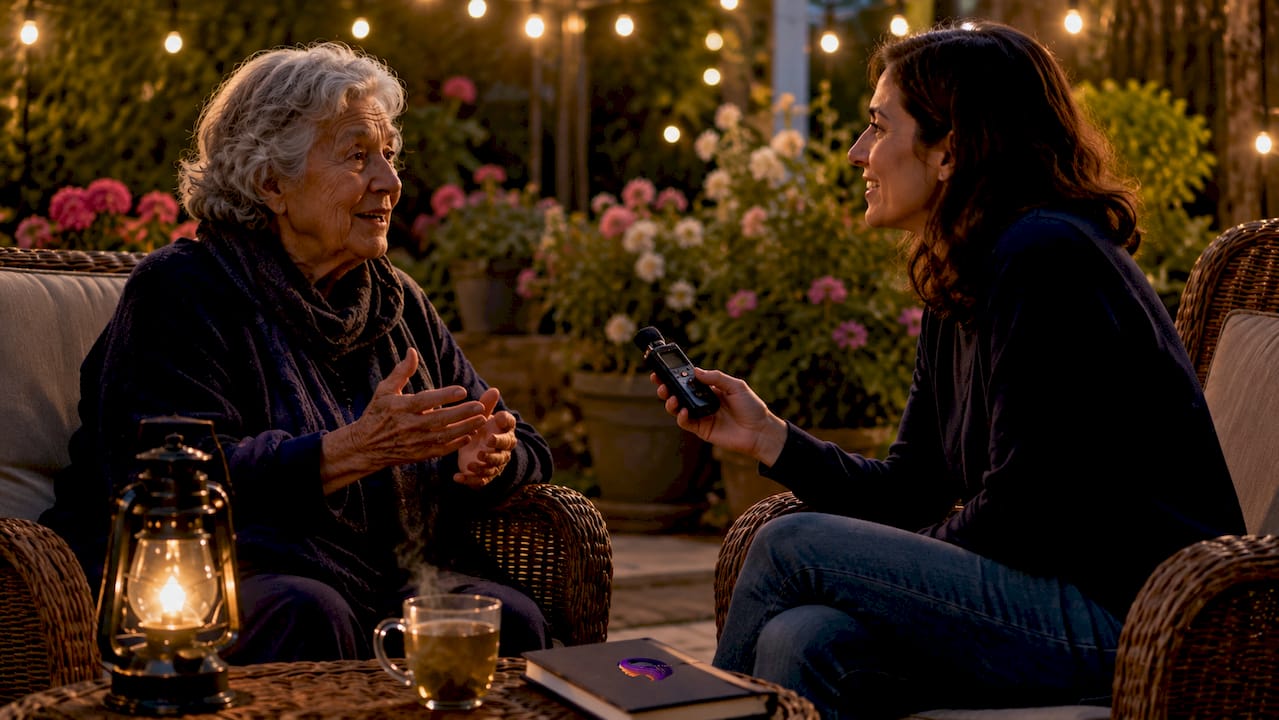
Dedicated portable recorders like the Zoom H1n or Sony ICD-UX570 produce noticeably better audio quality. They handle background noise better than phones and are worth the investment if your parent speaks softly or your recording space is less than ideal.
Purpose-built memory apps go further. The StoryCorps app guides families through structured interviews and archives recordings at the Library of Congress. EverMemory processes voice recordings into organized memoir entries without requiring any technical skill from the family.
| Tool type | Cost | Ease of use | Audio quality | Organization features |
|---|---|---|---|---|
| Smartphone app | Free | Very easy | Good | Basic (manual folders) |
| Portable recorder | $60–$200 | Moderate | Excellent | None (manual transfer) |
| Memory app (StoryCorps, EverMemory) | Free–$10/mo | Very easy | Good | Automatic, structured |
| AI companion (Senarra) | Subscription | Easy | Good | Automatic, voice-linked |
One accessory makes a real difference: a small clip-on lapel microphone. Plugged into a smartphone, it cuts room echo and captures your parent's voice clearly even if they speak quietly.
Pro Tip: Test your chosen tool the day before your first session. Play back 30 seconds of audio and listen through headphones. You will catch echo, hum, or low volume before the real conversation starts.
How do you prepare and conduct meaningful senior parent interviews?
Preparation separates a rich recording from a forgettable one. The goal is to make your parent feel like they are having a conversation, not sitting for an exam.
Build a question list before you start
Write 10–15 open-ended prompts before the session. Questions like "What was the neighborhood like when you were growing up?" or "What did your parents do for work?" open longer answers than yes-or-no questions. Oral history organizations like Oral History Victoria recommend grouping prompts by life chapter: childhood, young adulthood, family, and later life. This structure helps your parent move through memories in a natural order.
Set the right environment
Choose a quiet room with soft furnishings. Carpets, curtains, and upholstered furniture absorb echo. Turn off the TV, close windows, and silence phones. Schedule sessions when your parent is most alert, typically mid-morning for many older adults. Keep sessions to 30–45 minutes. Fatigue reduces both memory recall and audio clarity.
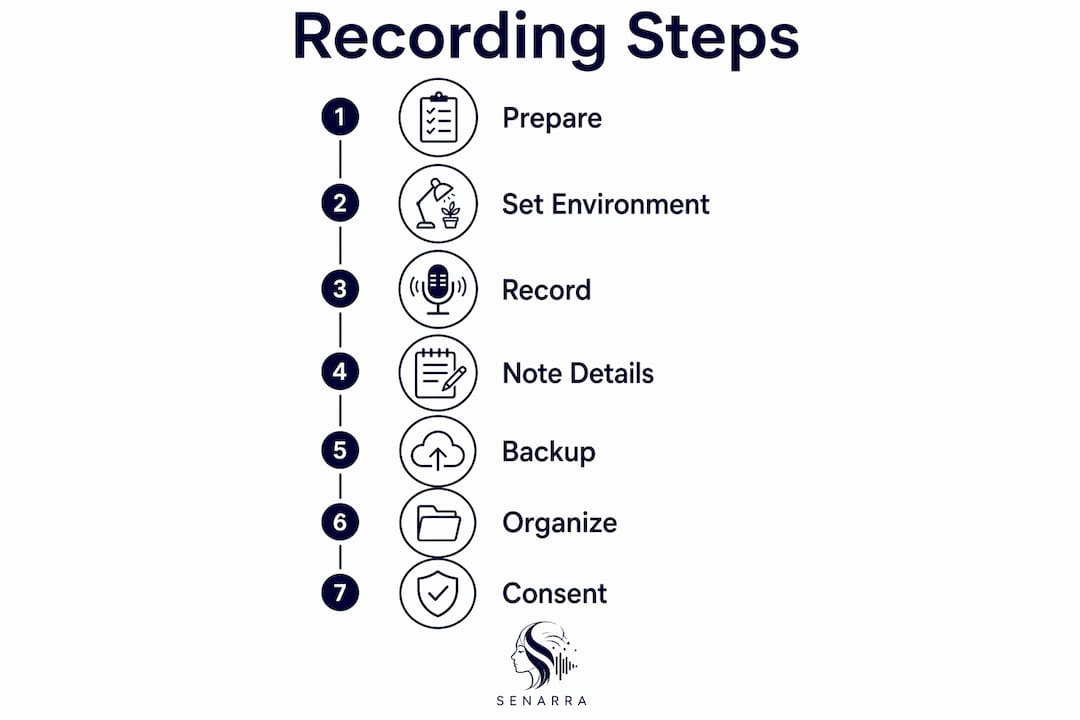
Run through these steps at the start of each session
- State the date, your name, and your parent's name at the very beginning of the recording. This creates a built-in metadata record.
- Test audio by asking your parent to say their full name and listen back immediately.
- Explain that pauses are welcome. Silence on a recording is far better than a rushed or incomplete story.
- Ask one question at a time. Follow up with "Can you tell me more about that?" rather than jumping to the next prompt.
- Let emotions land. If your parent tears up or laughs, stay quiet for a moment. Those pauses carry meaning.
Pro Tip: Keep a notepad beside you during the session. Jot down names, dates, or places your parent mentions so you can ask a clarifying follow-up question later without interrupting the story's flow.
Forgetting is normal. If your parent loses a thread, try a sensory prompt: "What did that house smell like?" or "What music was playing at the time?" Sensory details often unlock memories that direct questions cannot reach.
What are the best practices for organizing and storing audio memory files?
Recording the audio is only half the work. A file that cannot be found or played in ten years has no value. Consistent naming and multiple backups are the foundation of long-term audio preservation.
File naming that works
Consistent file naming with date, interviewee, and topic dramatically improves retrieval years later. A reliable format looks like this: 20260315_MargaretHill_Childhood_Brooklyn. That single file name tells you when it was recorded, who spoke, and what the topic was, without opening the file.
The 3-2-1 backup rule
The 3-2-1 backup rule is the standard for personal archiving: keep 3 copies, on 2 different storage types, with 1 copy stored offsite. A practical version for families: one copy on your laptop, one on a cloud service like Google Drive or iCloud, and one on a password-protected external hard drive kept at a different address.
Audio format matters more than most families realize
Keep lossless master files and create smaller compressed copies for sharing. WAV or AIFF files are lossless. MP3 is compressed. Once you convert a WAV to MP3 and delete the original, that audio quality is gone permanently. The master file is your archive. The MP3 is for emailing to relatives.
Key storage practices to follow:
- Label every file with date, interviewee name, interviewer name, and topic before moving it off your recording device.
- Back up within 24 hours of each session. Devices fail without warning.
- Check your backups annually. Open files, confirm they play, and migrate to new storage formats as technology changes.
- Store consent forms alongside audio files. A signed form in the same folder as the recording prevents confusion later.
- Keep a written transcript or summary for each recording. Digital preservation requires metadata alongside the audio file itself for long-term accessibility.
| Storage type | Cost | Risk | Best use |
|---|---|---|---|
| Local hard drive | Low | Hardware failure | Primary working copy |
| Cloud storage | Low–moderate | Account access loss | Offsite backup |
| External drive (offsite) | Low | Physical damage | Long-term archive |
| Institutional archive | Free (some) | None | Permanent public record |
What legal and ethical considerations apply to recording your aging parent?
Recording a conversation and archiving it for family use are two separate acts with different ethical weight. Treating them the same is the most common mistake families make.
Consent to interview differs from rights to archive or share. Your parent may happily agree to a recorded conversation but feel differently about that recording being shared with extended family, posted online, or donated to a library. A written rights agreement resolves this before it becomes a conflict.
Key ethical practices for families:
- Obtain verbal consent at the start of each recording. Ask your parent on tape: "Are you comfortable with me recording this conversation today?"
- Follow up with a written agreement that specifies who can access the recording, whether it can be shared publicly, and any topics your parent wants kept private.
- Discuss embargo options. Interviewees can specify access restrictions or embargo periods, meaning a recording stays private until a set date or until after their passing.
- Respect emotional boundaries. If your parent becomes distressed, stop the recording. No story is worth causing harm.
- Store consent forms with the audio files so future family members understand the terms under which the recording was made.
"Discuss with interviewees how their recordings can be accessed, restricted, or published, including embargo durations." — Oral History Victoria
Families who skip this step often face disagreements after a parent passes. A simple one-page form prevents that entirely.
How can technology simplify audio memory preservation and sharing?
The gap between recording a conversation and creating a lasting family archive used to require professional help. Several tools now close that gap for ordinary families.
The StoryCorps app has archived over 176,000 interviews at the Library of Congress. That scale proves that professional-quality oral history is no longer limited to institutions. Any family with a smartphone can contribute to a permanent public record.
EverMemory goes further by processing voice recordings into structured memoir entries automatically. Families upload audio and receive organized, searchable memory collections without any manual editing.
Senarra takes a different approach. It captures conversations in your loved one's authentic voice and builds a memory line accessible by phone. Families can call in and hear their parent's voice responding from archived recordings. That feature is particularly meaningful after a parent passes.
Benefits of service-assisted preservation over fully manual approaches:
- Automatic transcription converts spoken words to searchable text, making specific memories easy to find years later.
- Metadata generation tags recordings by date, topic, and speaker without manual input.
- Guided interview prompts built into apps like StoryCorps reduce preparation time and improve story depth.
- Secure sharing tools let families distribute recordings to relatives without emailing large audio files.
The voice recording guide from Senarra covers additional techniques for families building longer-term ancestry archives.
Key Takeaways
Audio memory preservation works best when families combine the right tools, consistent file management, and clear consent practices from the very first session.
| Point | Details |
|---|---|
| Start with what you have | A smartphone app is enough to begin recording parent stories today. |
| Name files consistently | Include date, interviewee, and topic in every file name for easy retrieval later. |
| Follow the 3-2-1 rule | Keep three copies across two storage types, with one copy stored offsite. |
| Separate consent types | Get written permission for archiving and sharing, not just for the recording itself. |
| Preservation is ongoing | Check backups annually and migrate files as storage formats change over time. |
Why I think most families wait too long to start
The families I have seen struggle most with this are not the ones who lacked the right equipment. They are the ones who kept waiting for the perfect moment. A better recorder. A quieter weekend. A time when Dad was feeling more talkative.
Audio has a real advantage over video for capturing family memories with older parents. There is no camera to self-consciously perform for. No lighting to arrange. A microphone on a table feels like a conversation, not a production. That lower barrier matters enormously when your parent is 80 and easily fatigued.
The regret families describe after losing a parent is almost never about the quality of the recording. It is about the stories they never asked about. The name of the town in Poland. What their mother wore on her wedding day. What their father said the night before he shipped out. Those details live in living memory, and living memory has a deadline.
You do not need to capture everything in one session. Fifteen minutes of your parent describing their childhood kitchen is worth more than a two-hour session where they feel pressured to cover their whole life. Start small. Start today. The emotional value of preserved memories compounds over time in ways that are hard to predict until you are sitting with a recording of a voice you can no longer call.
— Bryan
Senarra: a practical tool for preserving your parent's voice
Families who want to go beyond a folder of audio files will find Senarra worth exploring. Senarra captures your loved one's voice and stories in an organized, accessible format built for long-term preservation.
Senarra's memory line feature lets family members call in and hear their parent's voice from archived conversations, a detail that matters most after a parent is gone. Voice cloning and guided conversation capture make the process personal rather than technical. Families do not need to manage files, metadata, or backup schedules manually. Senarra handles the structure so you can focus on the conversation. If you are ready to start preserving your parent's stories, Senarra is built for exactly that.
FAQ
What is the easiest way to start recording parent stories?
Use your smartphone's built-in voice recorder app. It requires no setup, produces good audio quality, and syncs automatically to cloud storage.
How long should each audio memory session be?
Keep sessions to 30–45 minutes. Shorter sessions reduce fatigue and produce more focused, detailed stories than marathon recordings.
Do I need written consent to record my aging parent?
Verbal consent at the start of each recording is the minimum. Written permission is recommended before you archive or share recordings with others, as consent for recording and consent for sharing are legally distinct.
What audio format should I save recordings in?
Save master recordings in a lossless format like WAV or AIFF. Keep lossless originals and create MP3 copies only for sharing, since converting to MP3 permanently reduces audio quality.
Can apps like StoryCorps replace a professional oral historian?
For most families, yes. The StoryCorps app has produced over 176,000 archived interviews and guides users through structured prompts that replicate many techniques used by trained oral historians.