A life narrative platform is an AI-driven consumer app that records, organizes, and replays the voices and life stories of people you love, including pets. Think of a grandmother narrating her childhood over a guided interview, or a family retrieving their dog's "voice" through a personalized memorial persona. Senarra is one example built specifically for this purpose, with voice cloning, a phone-accessible memory line, and family sharing built in. When evaluating any option, look for clear consent controls, data ownership policies, and privacy-first architecture.
Key Takeaways
A life narrative platform is most valuable when you treat it as a structured memory archive with clear consent, not as a replacement for the person you love.
| Point | Details |
|---|---|
| Core definition | A life narrative platform records, organizes, and replays voices and stories using AI voice cloning and memory retrieval. |
| Privacy first | Always confirm data export, deletion rights, and family access controls before uploading personal recordings. |
| Voice quality benchmark | A 2026 prototype study reported voice naturalness at 4.2/5 and persona consistency at 82%, a useful baseline for comparison. |
| Start small | Begin with 3–5 core voice recordings and one guided interview before building a full archive. |
| Senarra option | Senarra offers voice cloning, a phone-accessible memory line, pet persona support, and a 14-day free trial via in-app purchase. |
What does a life narrative platform actually do?
The core job is simple: capture memories in someone's authentic voice, then make those memories searchable, shareable, and interactive for years afterward. Here is what a well-built platform delivers:
- Voice capture and cloning. Record conversations, import voicemails, or upload existing audio. The platform trains a voice model so playback sounds like the person, not a generic text-to-speech engine. Learn more about how voice cloning preserves emotional connection across different platforms.
- Guided interviews. Prompted questions ("What was your first job?" "Describe the day we brought you home") pull out stories people would never think to tell unprompted.
- Transcription and search. Audio converts to searchable text so a family member can find "the story about the fishing trip" without scrubbing through hours of recordings.
- Multimedia storage. Photos, videos, and documents attach to specific memories, giving context to the voice.
- Family collaboration. Multiple users can contribute, listen, and add their own reactions or stories.
- Memory line / phone access. Some platforms let you call a number and hear a loved one's voice respond, which is particularly meaningful for older family members who do not use apps.
- AI chat anchored to memories. Instead of a generic chatbot, responses draw only from the person's actual recorded stories, reducing hallucination.
- Pet persona support. A growing number of platforms extend these features to pets, letting families preserve a companion's "personality" through photos, videos, and owner-narrated memories.
- Animated tribute videos. Optional, but useful for memorial services or sharing with extended family.
For legacy and grief use cases, voice cloning and AI-anchored chat are the features that matter most. Animated videos are a nice addition, but they are secondary to the quality of the voice model and the accuracy of memory retrieval.
Pro Tip: Most voice cloning systems need at least 10–30 minutes of clean audio to produce a recognizable, natural-sounding model. Prioritize recording in a quiet room with a phone held close, and capture a range of emotional tones, not just calm narration.
Who uses these platforms, and how?
The audience is broader than most people expect. Here are the situations where a life narrative platform genuinely helps:
Legacy planning. Someone in good health records their life story systematically, so grandchildren who are not yet born will know who they were. This is the least emotionally urgent use case and often the most thorough, because there is time to do it right.
Bereavement comfort. After a loss, family members interact with an archive of the person's voice and stories. Research and reporting consistently show that maintaining a continuing bond through digital memorial planning can ease grief for some people, though outcomes depend heavily on how the tool is designed and how it is used.
Pet memorials. Newsweek reported in 2026 that grieving pet owners are increasingly turning to AI for memorialization, with approaches ranging from letters written in a pet's voice to interactive companions built from photos and owner-recorded memories.
Multigenerational storytelling. Families use these platforms as living archives, adding stories over years rather than treating them as a one-time memorial project.
One honest caveat: these platforms are not a substitute for clinical grief therapy. If someone is struggling with acute grief, an interactive archive can complement professional support, but it should not replace it.
How does a life narrative platform work?
The pipeline has four stages, and knowing them helps you ask better questions when evaluating platforms:
- Capture. You record voice memos, import voicemails, upload photos and videos, or run a guided interview session. The platform accepts raw audio and structured prompts.
- Transcription and indexing. Audio converts to text using automatic speech recognition (ASR). The text is chunked and indexed so the system can retrieve specific memories later. The MemorialBot research paper describes this stage as the foundation for everything that follows.
- Memory embeddings and retrieval. The indexed text becomes vector embeddings. When you ask a question, the system retrieves the most relevant memory chunks and passes them to a large language model (LLM) as context, a technique called retrieval-augmented generation (RAG).
- Voice playback. The LLM generates a response grounded in the retrieved memories, and a neural text-to-speech engine renders it in the person's cloned voice.
For privacy-sensitive families, the architecture matters. An open-source local-first project demonstrates that the entire pipeline, including LLM inference, SQLite storage, and voice synthesis via Edge-TTS, can run on-device with no data leaving the machine unless the user opts into cloud mode. Cloud-based platforms offer better voice quality and cross-device access but require trusting a third party with deeply personal audio.
Pro Tip: Label each recording with a date, location, and topic tag before uploading. Platforms that support metadata fields produce far more accurate retrieval results than those relying on transcription alone.
Privacy, consent, and the limits you need to know
This is where most families underestimate the complexity. A short checklist before you commit to any platform:
- Consent while alive. Did the person explicitly agree to voice cloning and posthumous AI interaction? Document it.
- Data ownership. Can you export all audio, transcripts, and metadata in a standard format?
- Retention and deletion. What happens to the data if you cancel? How long does the company retain voice models?
- Family access controls. Can you limit who hears what? A teenager's access level should differ from a spouse's.
- Local-first or encryption options. Does the platform offer on-device processing or end-to-end encryption?
Beyond the checklist, persona fidelity is a real risk. CBS News reporting on AI-generated "generative ghosts" found that users are sensitive to small mismatches: a bot that uses an unfamiliar term of endearment or adopts a tone the person never used can erode trust quickly. The fix is straightforward: only train the model on verified recordings and resist the urge to fill gaps with invented personality traits.
A 2026 prototype study of a voice-cloning conversational system reported voice naturalness at 4.2/5, persona consistency at 82%, and perceived comfort at 4.1/5 on 5-point Likert scales across 20 participants. Those numbers are encouraging, but they also show that roughly one in five interactions fell outside the "consistent" range. This is worth keeping in mind.
Pro Tip: Always label AI interactions as AI-generated within the app or in any shared content. Presenting the archive as a literal continuation of the person, rather than a memory tool, increases the risk of emotional dependency and persona drift.
How to choose the right platform for your family
Ask these questions before subscribing:
- Does the platform support data export in a standard format (MP3, JSON, PDF)?
- What is the voice cloning training process, and can you delete the model on request?
- Is there a local-first or offline mode for privacy-sensitive families?
- How does family sharing work, and can you set different access levels per member?
- What is the transcription accuracy for accented or elderly speech?
- Is there a free trial long enough to test voice quality before paying?
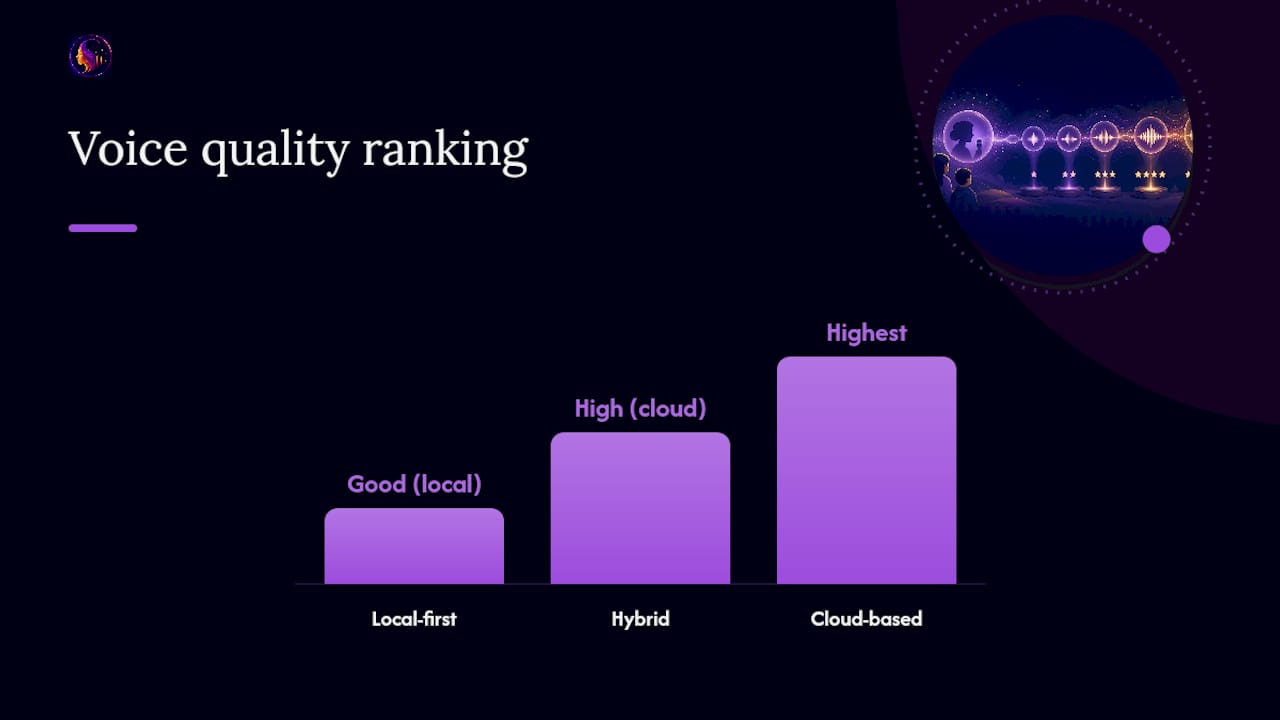
Deployment model comparison:
| Approach | Best for | Privacy tradeoff | Voice quality |
|---|---|---|---|
| Local-first (on-device) | Families prioritizing data ownership | Highest privacy, no third-party access | Good; limited by local hardware |
| Cloud-based | Families wanting cross-device access and high voice quality | Data stored on provider servers | Typically highest |
| Hybrid | Families balancing privacy and convenience | Configurable; depends on provider policy | High with cloud sync |
Pro Tip: Run a short test with a 5-minute sample recording before committing to a full archive. Voice quality and transcription accuracy vary significantly across platforms, and a trial session reveals both faster than any feature list.
What does it cost, and how long does it take?
Most platforms follow a similar pricing shape:
- Free trial or free tier. Typically 14 days or a limited number of recordings, enough to test voice quality.
- Monthly subscription. Core features including voice storage, transcription, and family sharing.
- Premium tiers. Phone-accessible memory lines, concierge recording assistance, or higher storage limits.
For context on the higher end of the market, services like Peterna offer instant AI-produced tribute films and family channel subscriptions, illustrating that memorial products can range from self-serve apps to concierge experiences.
Timeline expectations matter too. A usable voice clone typically requires hours to days of audio processing after you upload enough clean recordings. A meaningful family archive, one with enough stories to feel genuinely representative, usually takes weeks to months of regular uploads. Start with the most irreplaceable content: voice memos, favorite stories, and any existing recordings you already have.
Senarra as a life narrative platform option
Senarra covers the full checklist described above. Core features include:
- Voice cloning with authentic playback
- A memory line accessible by phone, no app required for listeners
- Guided interview prompts to draw out stories
- Family channels for collaborative memory-building
- Multimedia storage for photos, videos, and documents
- Pet persona support for animal companions
Getting started takes three steps:
- Download the Senarra app and start the 14-day free trial (no payment required upfront; subscription activates via in-app purchase).
- Record or import 3–5 of your most important memories, ideally including at least one extended voice recording.
- Invite one family member to the shared channel so they can contribute and listen.
Senarra's company blog covers the technical and ethical approach to privacy-first voice memories in detail, which is worth reading before you start uploading sensitive recordings.
The part most families miss
The technology in this category has matured faster than the emotional frameworks for using it well. It also means roughly one in five responses may feel slightly off, and for a grieving family member, "slightly off" can land hard.
The families who get the most from these tools treat them as archives, not oracles. They use guided interviews to capture specific, verifiable stories. They label AI interactions clearly. They set access controls before sharing with children or elderly relatives. And they choose platforms that let them export and delete data without friction.
Local-first architecture is worth prioritizing when the family includes anyone who would be uncomfortable knowing their loved one's voice lives on a company's server. Cloud platforms offer real advantages in voice quality and convenience, but the privacy tradeoff is real and permanent once the data is uploaded.
Senarra makes it easy to start preserving memories today
Senarra is built for families who want a privacy-forward, voice-first memory archive without needing technical expertise. Install the app, record three to five favorite memories in the first session, and invite one family member to listen and contribute. The 14-day free trial gives you enough time to test voice quality and transcription accuracy before committing to a subscription.
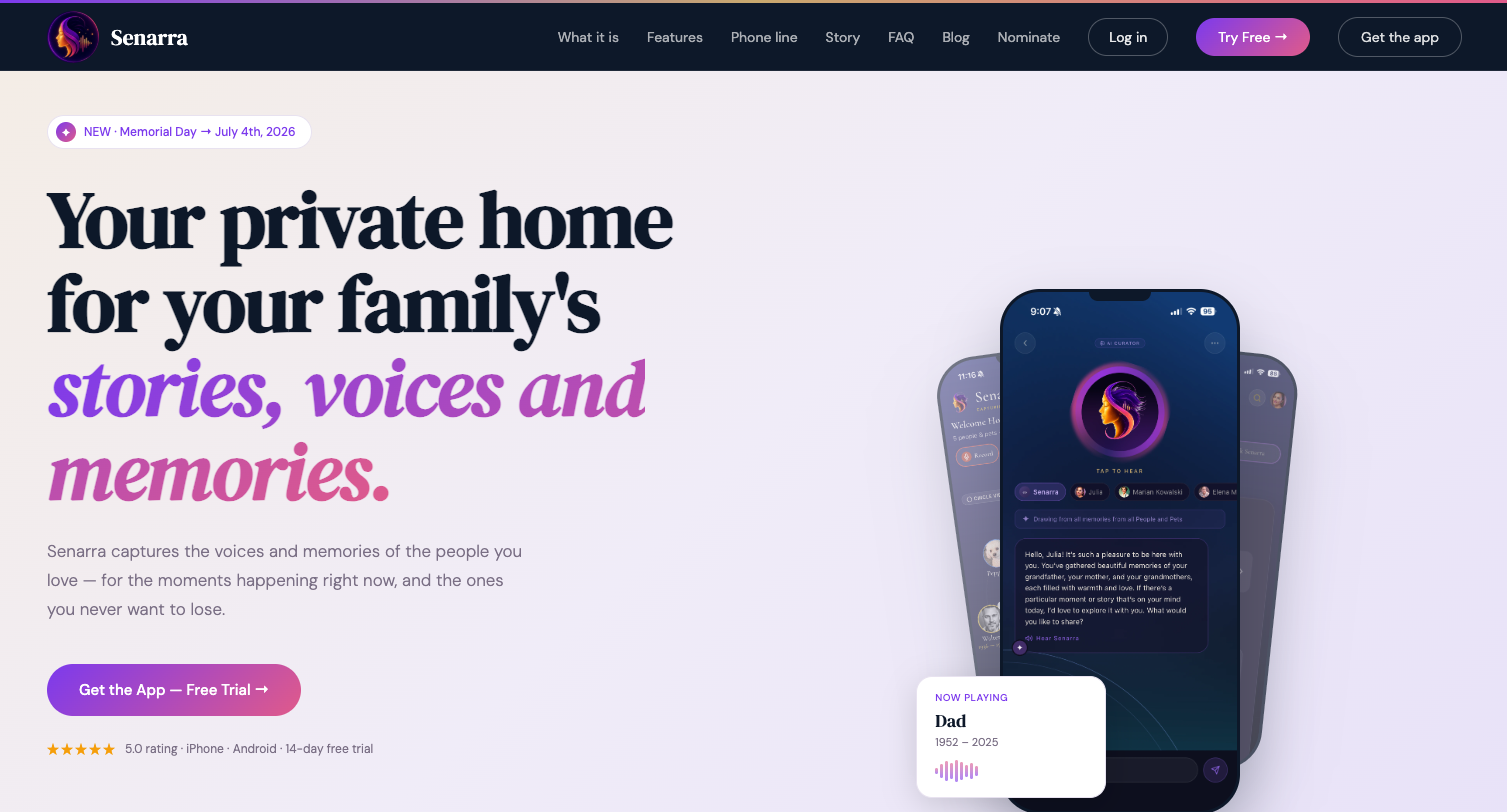
For special legacy requests or questions about pet persona setup, Senarra's support team is reachable directly through the app. Privacy-first features, including consent controls and family access levels, are configurable from day one. Senarra and build the first memory today.
Sources
- MemorialBot: Voice Cloning And Personality-Driven Conversational Framework For Post-Humous Digital Interaction And Grief Support
- logi-cmd/memorial-ai
- Peterna — a beautiful tribute for the pet you loved