A conversational memory archive is a persistent, searchable repository that stores past AI interactions so a chatbot can reference them across sessions, not just within a single conversation. Unlike the fleeting context that disappears when you close a chat window, a memory archive gives an AI system a durable record to draw from, days or months later. Think of it as the difference between a colleague who forgets your name after lunch and one who remembers every project you've worked on together. Implementations like SQLite FTS5 full-text search can index thousands of past conversations for retrieval long after they occurred. Key tools in this space include LangChain for memory type management, ChatGPT for consumer-facing persistent memory, and Pinecone for vector-based semantic retrieval.
- Persistent storage: Archived conversations survive session endings and remain retrievable across weeks or years.
- Searchable indexing: Full-text and semantic search methods let the AI locate relevant past exchanges quickly.
- Context injection: Retrieved memories are fed into active conversations so the AI responds with prior knowledge intact.
- Personalization: The AI adapts its tone, recommendations, and responses based on what it knows about you from past interactions.
- Cross-session coherence: Users don't have to re-explain their preferences, background, or goals every time they start a new chat.
How does conversational memory work in AI chatbots?
Every time you send a message, the AI processes it as a "turn" in a conversation. In a basic setup, the system captures both your input and its own response, then appends them to a running log. That log is what gets queried when the AI needs context to answer your next question.
The mechanics get more interesting when you look at how retrieval actually happens. Twilio's Conversation Memory uses a Recall API that fires on every conversation turn, pulling the most relevant customer context from a stored profile using a combination of semantic and lexical search. Semantic search finds conceptually related content even when the exact words don't match; lexical search catches precise keyword hits. Together, they give the AI a much better shot at surfacing the right memory at the right moment.
Real-time context injection is where the architecture gets practical. Retrieved memories are inserted directly into the prompt before the model generates a response, so the AI "knows" what it retrieved without you having to repeat yourself. This happens in milliseconds, though it adds latency when memory stores grow large.
- Turn capture: Each message pair (user input plus AI response) is logged as a discrete unit.
- Memory refresh: After each turn, the system updates the stored profile with new observations or facts.
- Semantic search: Retrieval finds contextually related past content, not just exact keyword matches.
- Lexical search: Precise term matching catches specific names, dates, or product references.
- Context injection: Retrieved memories are prepended to the active prompt before the model responds.
- Token budgeting: Only the most relevant memories are injected to avoid exceeding the model's context window.
Pro Tip: When building a memory-enabled chatbot, set a hard token budget for injected memories, typically a fraction of your total context window. Injecting too much history degrades response quality faster than injecting too little.
What are the main types of conversational memory?
LangChain's memory classes are the clearest illustration of how different memory architectures trade off completeness against cost. Each type solves a specific problem, and picking the wrong one for your use case creates real headaches at scale.
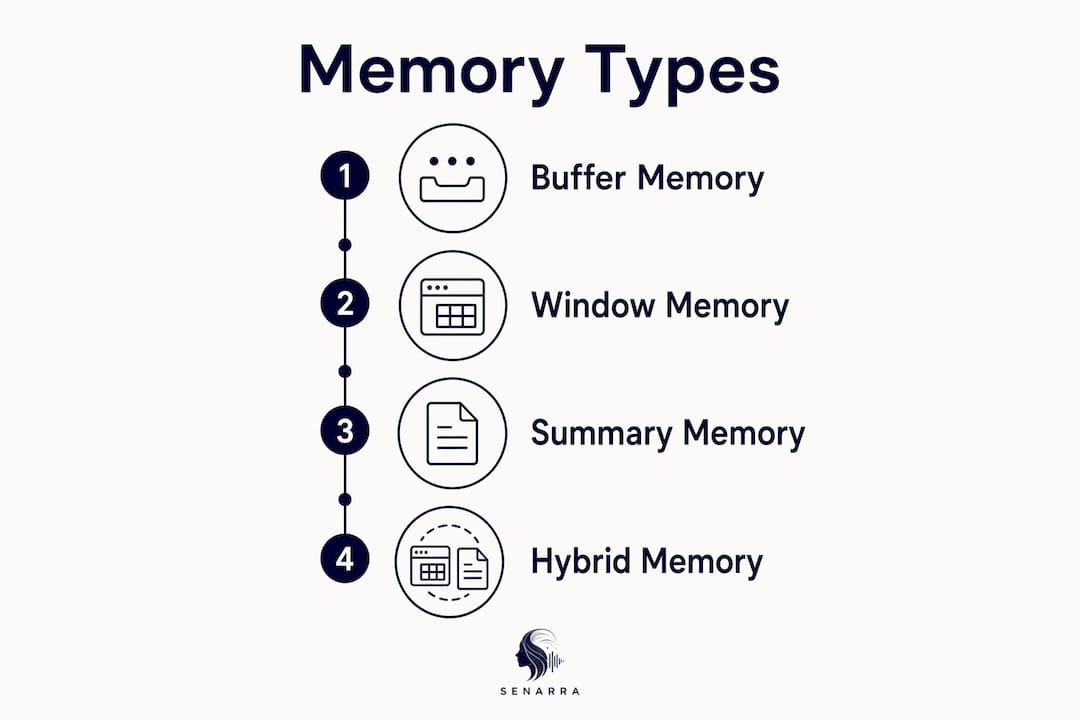
ConversationBufferMemory stores the entire raw conversation history. Every message, every response, verbatim. It's the simplest approach and works well for short conversations, but it burns through tokens fast. A long support chat can easily exhaust a model's context window before the conversation is even finished.

ConversationBufferWindowMemory solves that by keeping only the last k messages. You set the window size, and anything older than k turns gets dropped. The trade-off is obvious: the AI forgets what happened at the start of a long conversation. If you introduced yourself in message one and the window is set to four, the AI won't remember your name by message ten.
ConversationSummaryMemory compresses the full history into a running summary rather than storing raw transcripts. The AI can still reference early conversation details, but through a compressed lens. Some nuance gets lost in compression, which occasionally causes the model to misremember specifics.
ConversationSummaryBufferMemory is the hybrid. It keeps recent messages verbatim in a buffer and summarizes everything older than n tokens. You get the precision of raw history for recent turns and the efficiency of summaries for older ones.
| Memory Type | Stores | Recency Focus | Summarization | Token Cost | Best For |
|---|---|---|---|---|---|
| ConversationBufferMemory | Full raw history | No | No | High | Short conversations |
| ConversationBufferWindowMemory | Last k messages | Yes | No | Low | Real-time chat with limited context |
| ConversationSummaryMemory | Running summary | No | Yes | Medium | Long conversations, key facts matter |
| ConversationSummaryBufferMemory | Recent raw + older summary | Yes | Yes | Medium | Long conversations needing recent precision |
The right choice depends on conversation length, how much detail the AI needs to retain, and your latency budget. For most production chatbots handling extended user relationships, ConversationSummaryBufferMemory hits the best balance.
How do memory archives differ from other AI memory features?
The word "memory" gets used loosely in AI product descriptions, and that creates real confusion. A conversational memory archive is not the same thing as ephemeral session memory, custom instructions, or a saved-facts list, even though all four affect what an AI "knows" during a conversation.
Ephemeral memory exists only for the duration of a single session. The moment you close the chat, it's gone. No retrieval, no persistence, no cross-session continuity. Most basic chatbot implementations work this way by default.

Custom instructions are static rules you set once. They tell the AI how to behave generally ("always respond formally," "I'm a software engineer") but they don't grow or update based on what you discuss. They're a configuration file, not a memory system.
Saved memories in systems like ChatGPT sit between custom instructions and a full archive. ChatGPT's memory stores a continually updated synthesis of context from past chats, persisting across sessions unless you delete it. But the memory summary gives you a high-level view, not a verbatim transcript. It's a curated digest, not a complete record.
A true conversational memory archive goes further:
- Full persistence: The complete interaction log is stored, not just a synthesized summary.
- Long-term retrieval: You can query conversations from months or years ago, not just recent sessions.
- Searchable indexing: Full-text and semantic search make specific past exchanges findable.
- Audit capability: Persistent archives support review, compliance, and user transparency in ways ephemeral memory cannot.
- Cloud and local options: Some implementations store archives locally (browser-based, session-isolated), while others sync to cloud storage for cross-device access.
- Independence from chat history: In systems like ChatGPT, memory summaries are stored separately from chat logs, so deleting a conversation doesn't erase what the AI learned from it.
The practical gap between a saved-memory digest and a full archive matters most for developers building applications where users expect the AI to recall specific details from a conversation six months ago, not just a general sense of who they are.
What privacy controls exist for conversational memory systems?
Permanent data retention is the part of conversational memory that makes many users uncomfortable, and reasonably so. When an AI system stores everything you've ever said to it, the question of who controls that data, and how to remove it, becomes urgent.
ChatGPT's memory controls offer a useful model for what user-facing privacy management looks like in practice. You can view a memory summary showing what the system has retained, delete individual saved memories, clear all memories at once, or turn memory off entirely through settings. For situations where you don't want anything retained, Temporary Chat mode disables memory for that session completely.
One critical nuance: deleting your chat history does not delete your memory summaries. The two systems are stored separately. Memory summaries persist independently and continue influencing future responses until you explicitly clear them. Many users discover this the hard way, assuming a deleted chat means a clean slate.
- Memory summary review: Users can inspect what the AI has retained about them at any time.
- Granular deletion: Individual memory items can be removed without clearing the entire history.
- Full memory wipe: All saved memories can be cleared in one action through account settings.
- Temporary Chat mode: Disables memory for a specific session, leaving no persistent record.
- Separate storage: Memory summaries and chat logs are independent systems requiring separate cleanup.
- Opt-out controls: Users can disable memory features entirely, reverting the AI to session-only context.
Industry best practice for developers building memory-enabled systems is to surface these controls prominently, not bury them in settings menus. Users who understand what's being stored, and how to remove it, trust the system more and engage with it more openly.
Real-world examples of conversational memory in action
The gap between theory and implementation becomes clear when you look at how memory actually functions in production systems. Three examples cover the range from enterprise infrastructure to developer frameworks to consumer applications.
Twilio Conversation Memory handles the enterprise case. It operates in two phases: capture and recall. During capture, conversations flowing through Twilio channels get processed by Conversation Orchestrator, which unifies fragmented interactions into a single continuous thread. Conversation Memory then resolves customer identity across channels, whether the customer contacted you via SMS, WhatsApp, voice, or email, and builds or updates a profile. During recall, agents query the Recall API mid-conversation to pull ranked, relevant context in real time. The system stores two distinct memory types: conversational memory (unstructured observations like mood, behavior, and preferences) and factual memory (durable structured data like contact details and account tier).
LangChain gives developers a modular toolkit for building memory into their own applications. The four memory classes described earlier (buffer, window, summary, and hybrid) are drop-in components that integrate with LangChain's chain and agent architecture. A developer building a customer support bot can swap memory types based on conversation length without rewriting the underlying logic. LangChain also supports RunnableWithMessageHistory, which wires persistent message history into any chain, making cross-session memory straightforward to implement.
Pinecone handles the retrieval layer for applications that need semantic search over large conversation archives. Rather than keyword matching, Pinecone stores conversation embeddings as vectors and retrieves the most semantically similar past exchanges when queried. This works well for applications where the user's phrasing varies but the underlying topic stays consistent, a common pattern in long-term personal assistant use cases.
- Identity resolution: Enterprise systems like Twilio's match incoming contacts to existing profiles across channels, so agents never treat a returning customer as a stranger.
- Developer flexibility: LangChain's memory classes let developers choose the right trade-off between completeness and token cost for their specific application.
- Semantic retrieval: Vector databases like Pinecone find conceptually related past conversations even when exact wording differs.
- Customer personalization: Stored behavioral observations let AI agents adapt tone, recommendations, and escalation paths to individual users.
- Cross-platform archiving: Tools that index conversations across multiple AI platforms give users a unified searchable record of all their interactions.
For families and individuals preserving personal narratives, the same principles apply. Senarra's approach to capturing elder narratives draws on conversational memory to build a living, searchable record of a person's voice and stories rather than a static document.
Research insights and future directions for conversational memory archives
The academic picture of conversational memory is more nuanced than most product documentation suggests. A 2024 benchmark study on conversational memory systems found that naive long-context approaches achieve 70–82% accuracy compared to 30–45% for sophisticated RAG-based memory systems when operating on conversation histories under 150 interactions. The reason is scale: unlike RAG systems that start with billions of tokens in their search space, memory systems begin empty and grow gradually. Even a user who chats with an AI for one hour daily over four weeks generates only around 100,000 tokens of conversation history, a small fraction of the large token context windows available in current large language models.
That finding has real implications for how developers should architect memory systems. For early-stage deployments with fewer than 150 conversations, exhaustive context inclusion outperforms complex retrieval pipelines. The same study suggests that hybrid block-based extraction can extend effectiveness to several hundred conversations, with RAG-based approaches becoming the practical choice beyond that threshold despite their accuracy penalties.
The overlap between conversational memory and retrieval-augmented generation is well-documented in the research literature. Both systems enhance AI responses by retrieving relevant context from a text corpus. The difference is the corpus: memory systems draw from prior conversations, while RAG systems draw from documents, web content, or enterprise text. A unified approach that combines both tends to outperform either in isolation.
- Progressive growth advantage: Memory systems start empty and scale gradually, enabling simpler retrieval strategies to outperform complex ones early on.
- RAG convergence: Conversational memory and RAG share architectural patterns, and advances in one field transfer to the other.
- Token window opportunity: Current large language models have context windows large enough to hold hundreds of conversations without retrieval, making exhaustive context viable for many real-world deployments.
- Accuracy vs. complexity trade-off: Sophisticated retrieval pipelines don't always win; simpler approaches often perform better at smaller scales.
- Transient vs. archival tension: Conversational memory is increasingly understood as a fluid, living record rather than a fixed archive, which creates challenges for historical accuracy and data integrity.
- Dual system management: Developers must balance live conversational memory for active chats against persistent archives for long-term storage, since optimizing one can degrade the other.
- Misconception about deletion: Clearing chat logs does not clear memory summaries. The two require separate cleanup, a gap that most users don't realize exists until it affects them.
- Future direction: Medium-tier language models deliver equivalent memory performance to premium models at lower cost, suggesting that memory-focused applications can cut infrastructure spend without sacrificing quality.
For applications like Senarra, where the goal is preserving a person's voice and stories across years rather than optimizing a support ticket workflow, the archival dimension of conversational memory carries particular weight. The best practices for digital archives in personal and family contexts reflect many of the same principles researchers are formalizing for enterprise AI: index everything, make it searchable, and give users clear control over what persists.
Key Takeaways
A conversational memory archive is a persistent, searchable system that stores past AI interactions, enabling coherent, personalized conversations across sessions rather than treating every chat as a fresh start.
| Point | Details |
|---|---|
| Archive vs. ephemeral memory | A memory archive persists across sessions; ephemeral memory disappears when the chat closes. |
| Four core memory types | LangChain's buffer, window, summary, and hybrid types each trade token cost against context completeness differently. |
| Accuracy at small scale | Naive long-context approaches achieve 70–82% accuracy compared to 30–45% for RAG-based systems under 150 conversations. |
| Privacy requires two steps | Deleting chat history does not delete memory summaries; both must be cleared separately for a full data wipe. |
| RAG and memory converge | Conversational memory and retrieval-augmented generation share core architecture, and advances in one field transfer to the other. |