A memory preservation platform is purpose-built software that maintains the long-term accessibility, integrity, and context of personal and family digital memories. Unlike standard cloud storage, these platforms actively protect against data corruption, format obsolescence, and infrastructure failure through automated, continuous processes. For families who want to honor loved ones, document ancestry, or build a lasting legacy, understanding how these tools work is the first step toward making memories that actually survive.
What is a memory preservation platform, and how does it differ from cloud storage?
A memory preservation platform is specialized software designed to maintain the long-term accessibility, integrity, and usability of personal digital content. The industry term for this discipline is digital preservation, and it goes far beyond saving files to a hard drive or a cloud folder.
Standard cloud storage tools provide short-term access. They do not perform bit-level integrity checks, automated format migration, or contextual metadata management. A memory preservation platform does all three, continuously. The difference matters enormously when you consider that a JPEG saved in 2005 may be unreadable by the software your grandchildren use in 2055.

The OAIS (Open Archival Information System) model is the recognized international standard framework for digital preservation. Platforms built on OAIS principles treat every file as an information package with descriptive, technical, and administrative metadata attached. That metadata tells future generations not just what a file is, but who is in it, when it was created, and why it was saved.
Checksum generation is one of the core mechanisms that separates true preservation from simple storage. A checksum is a unique digital fingerprint calculated from a file's contents. If even a single bit changes due to corruption or hardware failure, the checksum no longer matches, and the platform flags the file for repair. This is the technical foundation of memory integrity.
How do memory preservation platforms protect your digital memories?
The protection process starts the moment a file enters the platform. Automated ingestion includes file validation, format identification, virus scanning, and checksum generation. Each step creates a verified record of the file's condition at the time of deposit.
Redundancy is the next layer of protection. Reliable platforms store multiple geographically distributed copies of every file. If a data center in one region suffers a flood or fire, copies stored elsewhere remain intact. This geographic distribution is the digital equivalent of keeping a photo album at your home, your parents' house, and a safe deposit box simultaneously.
Integrity monitoring runs continuously in the background. The platform compares stored checksums against the original values on a regular schedule. When a mismatch appears, active self-healing kicks in, replacing the corrupted file with a verified copy. This process catches silent data degradation before it becomes permanent loss.
Metadata management is where preservation becomes personal. Platforms using standards like PREMIS (Preservation Metadata: Implementation Strategies) and METS (Metadata Encoding and Transmission Standard) attach structured information to every file. That structure is what transforms a folder of unnamed photos into a navigable family archive.
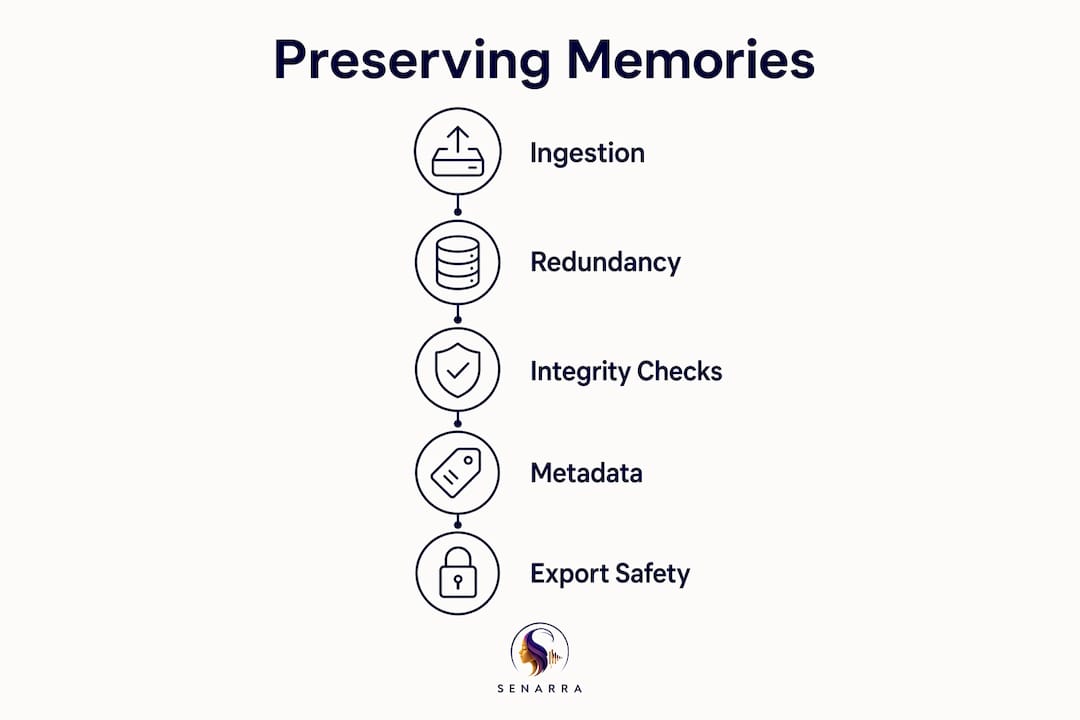
Format migration prevents obsolescence. When a file format becomes outdated, the platform converts files to current, widely supported formats without losing quality or metadata. This is an ongoing process, not a one-time event.
Key features that define a true memory preservation platform:
- Automated checksum generation and periodic fixity checks
- Geographically distributed redundant storage
- Continuous integrity monitoring with self-healing capabilities
- Structured metadata using PREMIS and METS standards
- Active format migration to prevent file obsolescence
- Audit logs tracking every action taken on a file
Pro Tip: When evaluating any platform, ask specifically whether it performs fixity checks on a schedule. A platform that only checks files when you access them is not performing true preservation.
What emerging technologies are shaping memory archiving platforms?
The most significant development in long-term archival storage is laser-written glass. Microsoft's Project Silica uses femtosecond laser pulses to encode data inside glass, achieving an estimated longevity of over 10,000 years. A single 12 cm² glass piece holds 4.8 terabytes of data, and the medium is resistant to heat, water, and electromagnetic interference. That longevity dwarfs magnetic tape (30–50 years under ideal conditions) and consumer hard drives (3–5 years of reliable use).
Traditional storage media comparison:
| Storage type | Estimated lifespan | Key risk |
|---|---|---|
| Consumer hard drive | 3–5 years | Mechanical failure |
| Magnetic tape | 30–50 years | Environmental degradation |
| Optical disc (archival grade) | 50–100 years | Physical damage |
| Laser-etched glass (Project Silica) | 10,000+ years | Minimal known risks |
AI-powered memory capture is another area changing what preservation means. AI journaling systems like Eterna integrate text, audio, photo, and video inputs with guided prompting and AI transcription. The result is richer contextual content, not just raw media files. A photo of a birthday dinner becomes a story when the platform prompts you to record who was there, what was celebrated, and why that moment mattered.
Certification standards like ISO 16363 (the Trustworthy Digital Repository standard) give families a way to evaluate whether a platform meets professional archival requirements. Platforms certified under ISO 16363 have demonstrated that their preservation processes are auditable, repeatable, and reliable.
Pro Tip: Before committing to any platform, confirm it offers full data export in open, non-proprietary formats. If the company closes tomorrow, you need to be able to take your archive with you.
How can families preserve memories meaningfully with these platforms?
The most effective approach to family memory preservation is output-driven. Start with a clear goal: a family memory book, a digital archive for grandchildren, or an oral history collection. That goal shapes every decision about what to capture, how to organize it, and how much detail to record. Without a goal, digital accumulation replaces meaningful curation.
Metadata capture is the single most underused practice in family archiving. For every photo, audio recording, or video, record the who, what, when, where, and why. Orphaned files without this context lose their value within a generation. A photo labeled "IMG\_4872.jpg" tells your great-grandchildren nothing. A photo tagged with names, a date, a location, and a one-sentence story tells them everything.
The 3-2-1 backup rule is the baseline standard for risk mitigation: three copies of every file, on two different media types, with one copy stored off-site. For true preservation, periodic fixity checks add a zero-error tolerance layer on top of that rule. Checksums verify that your copies are identical to the originals, not just present.
Balancing digital and physical outputs extends the reach of your archive. A printed family photo book is accessible to relatives who are not comfortable with technology. A digital archive is searchable and shareable across distances. The two formats reinforce each other rather than compete.
Recommended workflows for families:
- Define your legacy goal before you start capturing or organizing files.
- Assign metadata to every file at the time of capture, not later.
- Schedule an annual archive review to check file integrity and update formats.
- Apply the 3-2-1 backup rule with at least one cloud-based copy.
- Involve multiple family members to distribute the effort and capture diverse perspectives.
- Combine digital archives with at least one physical output each year.
Involving multiple contributors also protects against a single point of failure. If one family member manages the entire archive alone, the project stalls when life gets busy. Shared stewardship keeps the archive growing and reduces the risk of gaps in the family record.
Pro Tip: Schedule your annual archive review on a recurring calendar event tied to a meaningful date, like a family birthday or anniversary. Connecting the task to an emotional anchor makes it far easier to maintain.
What are the most common misconceptions about memory preservation services?
The most damaging misconception is that cloud storage equals preservation. Dropbox, Google Drive, and similar tools provide convenient access, but they do not perform the continuous integrity checks, format migration, or metadata management that true preservation requires. Files stored in these services degrade silently over time without any alert to the user.
Passive storage is the enemy of long-term memory integrity. A file sitting untouched in a folder for ten years may appear intact but contain corrupted data that only becomes apparent when you try to open it. Annual integrity audits and format monitoring prevent this kind of invisible loss.
Common pitfalls families encounter:
- Treating a one-time backup as a completed preservation project
- Storing files without metadata, creating archives that future generations cannot interpret
- Choosing platforms with proprietary formats that make data export difficult or impossible
- Ignoring format obsolescence until files become unreadable
- Failing to test backups by actually restoring files from them
Platform lock-in is a risk that families rarely consider until it is too late. If a platform stores your memories in a proprietary format and then shuts down or changes its pricing model, extracting your archive may be difficult or impossible. Choosing platforms with open export options and transparent preservation policies protects against this scenario.
Pro Tip: Test your backup at least once a year by restoring a sample of files from scratch. A backup you have never tested is a backup you cannot trust.
Key Takeaways
A memory preservation platform actively protects digital memories through continuous integrity checks, structured metadata, and format migration, making it fundamentally different from passive cloud storage.
| Point | Details |
|---|---|
| Preservation vs. storage | True preservation requires active integrity checks and format migration, not just file storage. |
| Metadata is non-negotiable | Attach who, what, when, where, and why to every file to prevent orphaned, uninterpretable archives. |
| 3-2-1 backup rule | Keep three copies on two media types with one off-site, plus regular fixity checks for zero data errors. |
| Output-driven approach | Start with a clear legacy goal to avoid digital hoarding and focus on meaningful curated archives. |
| Emerging technology | Laser-etched glass (Project Silica) and AI-powered capture tools are extending what long-term preservation can achieve. |
Why I think most families wait too long to start preserving memories
The families I have seen struggle most with memory preservation share one trait: they treated it as a future project. They assumed the photos were safe because they were "in the cloud." They assumed the stories would be captured eventually. Then a grandparent passed, a hard drive failed, or a platform shut down, and the window closed.
What I have learned is that the technical side of preservation is actually the easier part. Checksums, redundancy, metadata standards: these are solvable problems. The harder challenge is emotional. Families resist starting because the process forces them to confront mortality, to acknowledge that the people they love will not always be here to fill in the gaps.
The platforms that work best for families are the ones that make the emotional side feel natural. Guided prompting, voice recording, and AI-assisted transcription lower the barrier to capturing stories that would otherwise go untold. Senarra's approach of capturing conversations in a loved one's authentic voice is a good example of how technology can serve emotional connection rather than just data management.
The most important insight I can offer is this: preservation is stewardship, not a project. It requires the same ongoing attention you give to a garden or a relationship. You do not plant seeds once and walk away. You tend, you check, you add, and you adjust. The families who treat their digital legacy as something alive and growing are the ones who end up with archives their grandchildren actually treasure.
Start now, start imperfectly, and keep going. The alternative is silence.
— Bryan
Senarra: a platform built for the memories that matter most
Preserving memories is not just a technical task. It is an act of love for the people who come after you.
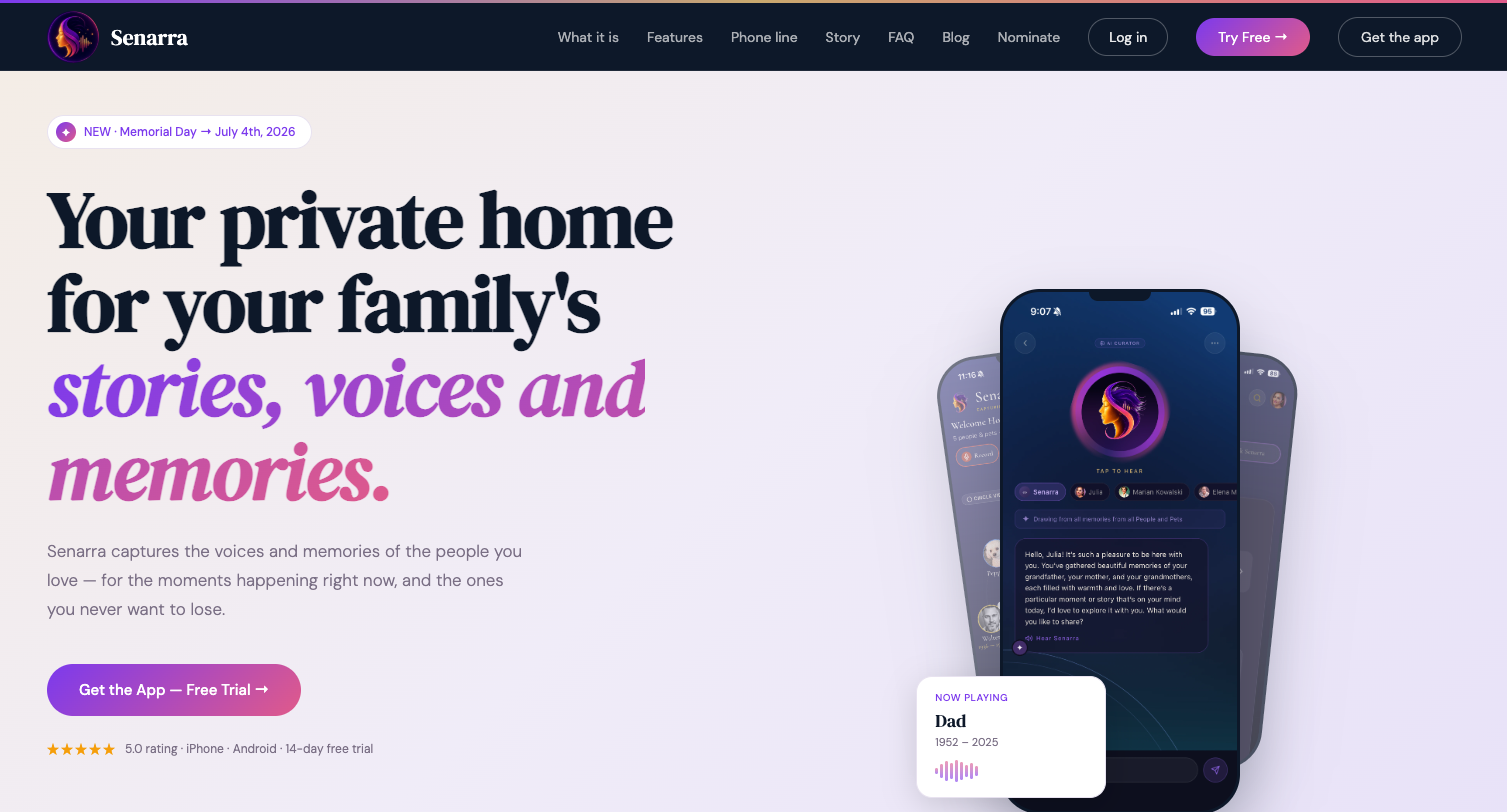
Senarra is an AI companion designed to capture the voices and stories of the people and pets you love, during their lifetime and beyond. It records heartfelt conversations in an authentic voice, so families can reconnect with those memories whenever they need to. Features like voice cloning and a memory line accessible by phone make Senarra one of the most personal approaches to digital legacy building available today. For families ready to move beyond passive storage and build something that truly lasts, Senarra is a meaningful place to start.
FAQ
What is the memory preservation definition in simple terms?
A memory preservation platform is software that actively protects digital memories through integrity checks, metadata management, and format migration. It differs from cloud storage by treating preservation as an ongoing process, not a one-time backup.
How does the 3-2-1 backup rule apply to family archives?
The 3-2-1 rule means keeping three copies of every file, on two different storage types, with one copy stored off-site. Adding periodic fixity checks on top of this rule catches silent data corruption before it causes permanent loss.
Why is metadata so important for preserving family memories?
Metadata records the who, what, when, where, and why behind every file. Without it, digital files become orphaned and lose their meaning within a generation, leaving future family members with files they cannot interpret.
What makes Senarra different from standard memory archiving platforms?
Senarra captures memories in a loved one's authentic voice through AI-powered conversation recording and voice cloning. This goes beyond file storage by preserving the emotional texture of a person's stories, not just the raw media.
How often should families review their digital memory archives?
Annual archive reviews are the recommended minimum. Each review should include an integrity check, a format audit, and a test restoration of sample files to confirm backups are functional.